Recent Posts

Pages: 1 ... 7 8 [9] 10
81
CES 2024 / Back to the Tech Future: The History of CES in 4 Iconic Gadgets 1/2
« Last post by javajolt on December 31, 2025, 06:14:00 PM »


The TV, VCR, game console and iPhone have rich beginnings and enduring legacies at the world's biggest tech show.

I'll never forget the biggest TV I've ever seen. Deep inside a convention center in Las Vegas, a PR representative for Samsung calmly ushered me past workers setting up for the evening event. They were preparing for Samsung's First Look, the annual unveiling of the company's most ambitious home entertainment hardware for the coming year. Hundreds of journalists and industry insiders would soon have access, but I was getting a behind-the-scenes preview.

We moved past kiosks in mid-construction devoted to PC monitors, smart TV features and wacky displays built into modernist bookshelves. I brushed by the Sero, a TV that could rotate its screen into portrait mode. Then, behind the half-constructed stage, I saw it: The Wall, 292 inches of micro-LED glory, brighter than any movie screen and so much larger than life.

That was at CES, the world's largest tech event, in 2020. Every year, Samsung is one of the show's most important exhibitors of consumer electronics, and I knew that its huge TV would be the talk of my industry. As it towered over me, I felt like I was part of technology history.

I've been attending CES for most of my adult life. With the exception of two years during the COVID pandemic, I've gone every year since 1999. I fly to Vegas in January, right after the holidays, to hustle for a solid week. There, alongside hundreds of other journalists and my CNET colleagues, I write articles and shoot videos about the coolest gadgets on the planet. Tough gig, I know.

CNET has a long history at CES. Teaming up with the Consumer Technology Association, which hosts the show, we've bestowed the official Best of CES Award on a handful of select products. We're doing it again in 2026, this time in conjunction with our colleagues at PC Magazine, ZDNet, Mashable and other Ziff Davis publications. The massive show is scheduled for the week of Jan. 5, and we've spent months planning how to tackle it.

Huge TVs remain one of the most recognizable symbols of CES, and they've only grown in significance since the introduction of HDTV broadcasts in 1998.

"HDTV was the biggest thing in my lifetime for video, no question about it," says Gary Shapiro, president of the CTA. "HDTV fundamentally changed the viewing experience."

But there's a lot more to CES than TVs. Over the years, the consumer electronics extravaganza has been where we first got a glimpse of technology that we use every day — game consoles, cutting-edge phones, even streaming services — as well as more futuristic tech, including humanoid robots, AI-powered laundry machines, and personal electric aircraft. CES is where thousands of companies debut their splashiest innovations, and it's one of the most important predictors of the next big tech trend.

And even though bellwether companies like Apple, Amazon, Google, Meta, and Samsung hype their own events and livestreams throughout the year to launch major products, CES has endured.

In this article:

   • CES 1967: In the beginning there were TVs

   • CES 1970: A $13,000 VCR sets the stage for cheap streaming

   • CES 1977: The Atari 2600 is whatever happened to Pong

   • CES 1992: Apple drops Newton, a failed precursor to the iPhone

   • CES 2026: What's next for tech history?

Other major trade shows have come and gone. Comdex, which ran from 1979 to 2003 and was also based in Vegas, showcased the computer technology of the day, competing directly against CES. E3, a massive video game industry event spawned from CES, took place annually from 1995 to 2021. A handful of international technology trade shows, including Mobile World Congress in Barcelona, IFA in Berlin and Computex in Taipei, are still going strong, but CES remains king.

We can see the influence of the show on TVs, VCRs, game consoles and PDAs. These four devices, each with a rich history at CES, have a tech legacy that continues to push forward. I expect to see a continuation of that evolution at CES 2026, along with other devices, services and technologies still in their formative stages.

The next wave of household robotics, autonomous mobility, AI-assisted health care and salt spoons will exist in a booth or display at this year's show. It might be years before they're affordable, accessible and useful enough to become part of our lives. The road from wild concept to household mainstay is long and fraught with many dead ends, but it often begins at CES.

CES 1967: In the beginning, there were TVs

The very first CES — at the time, it went by its full name, the Consumer Electronics Show — took place in New York City in 1967. It attracted 117 exhibitors, which is tiny by today's standards. By comparison, CES 2025 featured more than 4,500 exhibitors and drew 142,465 attendees, and pre-COVID shows were even larger.

The inaugural CES was a spinoff of another technology-focused trade event, the Chicago Music Show, where audio technology showed up in the form of pocket radios.

From its advent, CES featured TVs. Invented long before the 1960s, that decade saw the adoption of color television broadcasts in the US and the launch of TV satellites.

At the 1967 CES, the most cutting-edge TVs displayed were those with integrated circuits, a technology that combines multiple electronic components into a small "chip," or microchip — the stuff that eventually would become the guts of every laptop and smartphone. During that show and for decades afterward, most TVs used a cathode ray tube, or CRT, which made the screens small and the sets heavy. When we were kids, my sister and I sat a couple of feet from our tube TV at home watching cartoons, despite our parents' warnings that sitting too close would ruin our eyesight.

No matter the era, the ideal TV is always something bigger, something that promises to bring the immersive, magical feel of a movie theater into a home. During my career, I've watched TVs expand and improve, year after year, with higher resolution, better contrast, more realistic color and brightness, chasing reality in fidelity and size.

A 2025 CNET survey found people do indeed crave huge screens. Nearly half of the respondents said that if money were no object, they would want a TV bigger than 65 inches in their homes.

"A lot of people ask what size TV should I buy, and I always tell people to buy one size bigger than you think you need," Chris Hamdorf, executive vice president at TV maker TCL, told CNET in 2025. As a TV reviewer, I give people the same advice, but there was a time when 65-inch TVs were far from common.

During the '80s and '90s, larger-screen televisions hit the market using a technology similar to movie projectors. Called rear-projection TVs, the projector was housed inside the TV cabinet and created an image from behind the screen. Then, they also used CRTs, and in later iterations, an acronym-heavy array of other technologies (think DLP, LCD and LCoS). Numerous rear-projection TVs defined my first few years covering CES, before they were replaced by flat-panel technology, often thin and light enough to hang on a wall, a harbinger of the screens we use today for our Netflix binge-watching.

Plasma technology arrived in 1995 with the world's first large (42-inch) plasma display by Fujitsu, and at CES 1997, Philips showcased the first commercially available version. The technology evolved in succeeding years but remained expensive by today's standards — in 2005, Toshiba sold a 42-inch plasma for $4,500, for example. Just a few years later, plasma hit mainstream pricing and became very recommendable.

In 2010, the Best of CES award went to the first plasma TV with 3D capability, the Panasonic V10, chosen by a group of CNET journalists, including myself. We met in CNET's double-wide trailer in the conference center parking lot and debated our way to the best overall winner. I touted the superb picture quality of previous Panasonic plasmas I'd reviewed, along with a promising new 3D video, complete with glasses. Oops! Within a few years, that concept was a walking corpse, and I commented on its death in 2017

LCD-based displays were evolving at the same time, and that technology soon outsold both plasma and other non-flat technologies. With the advent of 4K resolution, plasma technology became less popular and eventually left the market altogether by 2014. LCD has been the dominant TV technology ever since.

Nowadays, CES is awash in massive screens, although none are quite as large as the 292-inch micro-LED TV that impressed me so much. At CES 2024, I was particularly enamored by the 132-inch, $200,000 folding TV by C-Seed. LG's booth is another impressive example, with its incredible OLED multiscreen displays. But innovation in TVs has certainly slowed down, as larger TVs with excellent image quality have become increasingly affordable over the years.

 "To be honest with you, the importance of TV at CES is definitely diminished," CTA's Shapiro says. "Because it is such an amazing consumer product that it's almost cheaper than wallpaper now."

CES 1970: A $13,000 VCR sets the stage for cheap streaming


Google Images/Envato/Lily Yeh/ CNET

For as long as TVs have existed, they have seemingly delivered the same basic concept: a screen with moving video and sound that you watch for entertainment at home. Other groundbreaking technology ideas, however, have evolved significantly over a short period of time.

In 1970, just three years into the history of CES, Philips showcased the N1500 VCR. It would be the first device that recorded TV shows onto cassette tapes. Originally a piece of professional broadcast equipment, it hit the UK market in 1972, where it sold for £600 — the equivalent of $13,000 today. It had a built-in TV tuner to record television programs broadcast over the air, as well as an analog clock that automatically initiated recordings.

"The VCR was important on so many different levels," Shapiro tells me. "It changed the concept of TV. It empowered consumers to choose what they want to watch and when they want to watch it."


The idea that you could "time shift" to watch a show at a later time was revolutionary, eventually transforming home entertainment forever. Until then, television programming had set broadcast times. To experience "appointment TV," you had to follow a show's schedule at the moment it aired. With the ability to record and archive video independently, people took more ownership of their entertainment.

The format used by the N1500 was actually called "VCR," but it was never successfully marketed in the US, opening the door for two other formats: Betamax (introduced by Sony) and VHS (developed by JVC). Betamax hit the market in 1975, the year I was born, and was seen by many as technically superior to VHS, with better image quality. My father was a Beta guy, and took great pride in his collection of Disney movies recorded off-air.

VHS launched at CES in 1977. It used a larger cassette tape than Beta and promised longer recording times (2 hours versus 1 hour). Over the next few years, the two incompatible formats and their devices — both now called VCRs — battled it out in the market, one-upping each other in marketing, brand support and technological innovation, such as recording lengths.

"There was a format war going on between VHS and Beta," Shapiro says. "And it was intense."

Over time, Betamax sales declined as more households adopted VHS. By 1988, 170 million VCRs had been sold worldwide, with only 13% being Betamax models. Sony also announced that it would manufacture VHS VCRs. The format war was effectively over.

The VCR had a 40-year reign, characterized by Blockbuster video rental stores and their reminders to "be kind, rewind." But the technology of home video was about to get a digital makeover.

The DVD format delivered superior image quality in a smaller, more durable disc that didn't require rewinding. It also allowed recording via DVD-R discs. Around the same time, a disc-free device made its debut: the DVR. It proved much more popular than DVD-R for recording TV shows and movies.

TiVo and Replay TV were among the first DVRs, devices that stored hundreds of hours of TV shows and enabled automatic recording to a hard disc. With a DVR, the "work" of programming recordings was much easier. You could simply indicate that you wanted to record every new episode of The Simpsons, and the DVR would do it automatically. There were no discs to bother with, so you didn't have to worry about damaging them.

DVRs also allowed you to fast-forward through commercials and skip ahead in 15- or 30-second increments. Some even included the ability to skip past commercials automatically, without having to press a button at all. One of those DVRs, the Dish Network Hopper, debuted at CES and was named the 2013 Best of CES winner by CNET.

Until it wasn't. The company that owned CNET at the time, CBS, was in the process of suing Dish over its commercial-skipping capabilities. CBS intervened in the awards process and instructed CNET's editorial staff to select an alternative winner instead.

"When I heard that CNET gave an award and CBS reversed it, that must have been devastating to the staff," Shapiro tells me. "Then I realized this is, like, a gift. This is gonna get more publicity than ever." He wrote a column for USA Today headlined "CBS orders crush CNET credibility." The reversal sparked a controversy that CNET veterans like me remember as an example of corporate interests overstepping editorial integrity.

DVRs remain a staple in US households today, typically sold by cable TV companies. But as more Americans ditch their cable subscriptions and replace them with streaming services, DVRs have moved to the cloud. The first live TV streaming service, Sling TV, debuted at CES 2015 with a $20 package that included channels such as ESPN, CNN, TNT and Disney Channel. I said at the time that it stole the show and presaged a new era of cutting the cable TV cord.

Today, Sling and its rivals — YouTube TV, Hulu Plus Live TV and more — all offer cloud DVRs. They let you record TV shows automatically and watch them whenever and wherever, and even let you fast-forward through commercials. But you'll have to press a button to do so.

Beyond TV shows and movies, another kind of entertainment shares a rich history of CES debuts. It got its start on television at home, but has moved rapidly into portable formats and even virtual reality. I'm talking about video games.

CES 1977: The Atari 2600 is whatever happened to Pong

Debuting at CES on June 4, 1977, the iconic Atari 2600 console launched the home video game industry. The announcement of the console was a bit of a surprise. Attendees at the show expected the big news to involve the debut of the VHS format.

The 2600 isn't the first home console (a distinction that belongs to the Magnavox Odyssey in 1972), but Atari's was the first to go mainstream. Atari was founded in 1972, and its breakthrough game, Pong, is widely considered the earliest successful video game. Originating as a stand-up arcade game, Pong then made its way to home consoles, including the Home Pong, a TV-connected console that was introduced at CES in 1974.

Highlights for n00bs: Looking back on 40 years of gaming can be seen here.

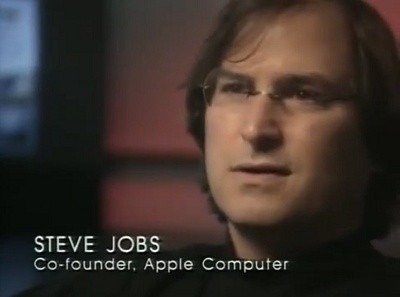
Atari employees included Steve Jobs and Steve Wozniak, who soon went on to found Apple. In 1974, they had teamed up to develop another seminal game, Breakout. Atari was sold to Warner Communications in 1976 for $28 million to fund the development of a device code-named VCS (Video Computer System), which was eventually renamed the Atari 2600.

Video games were new at the time and playable on dedicated arcade machines. Much like the VCR, a home game console was a TV accessory that opened up another world without requiring you to leave the house. Allowing users to interact with the screen and control the contents, as well as compete against another player, was groundbreaking.

Gaming has since evolved to encompass numerous other systems and platforms, extending beyond the confines of TVs to include computers, phones, VR headsets and more. It's everywhere and more popular than ever, and CES has played right along.

"We were very important to the game industry. We had Nintendo and Sony and Sega," he says, adding, "I remember the guy from Atari was on our board."

The 2600 was a big hit, outselling its initial production run in 1977 and eventually selling 30 million units worldwide. My uncle and aunt bought it for the family one Christmas, and I vividly recall hours spent with my younger cousins — and the adults — as we sat mesmerized, kicking butts in Defender, Combat and Space Invaders. Safe to say I was hooked on gaming, along with millions of other people.

Atari is still around today and even released the throwback Atari 2600 Plus a couple of years ago, but other companies and devices have dominated gaming since the early 1980s. In 1985, Nintendo unveiled the NES, or Nintendo Entertainment System, at the June CES. I bought the console with my paper route money, and hid it from my father, who didn't approve of video games.

Nintendo is regarded as one of the most influential game devices ever. It featured add-ons like the Zapper light gun and launched Nintendo's best-known franchises, including Mario, Metroid and Zelda. Numerous TV-based and handheld successors followed, culminating in the Nintendo Switch, the first hit console to combine both at-home and portable gaming into a single device.

"CES always felt a little off-timed for gaming compared to E3's late-spring gaming reveals, but it's still been a place where new gaming tech has pushed the envelope," says CNET Editor at Large Scott Stein, who's been attending CES shows since 2004. "The Razer Edge gaming tablet gave a preview of where the Switch was later heading, all the way back in 2013."


Another modern game console also got its start at CES. In 2001, Bill Gates, CEO of Microsoft, revealed the final design of the computer company's first foray into console gaming — and the first major console produced by an American company since Atari. It was called the Xbox.

In a memorably over-the-top CES keynote address, Gates took the stage with Dwayne "The Rock" Johnson, then a professional wrestler, to hype up the device. Gates pulled aside a black cloth with the words: "For the first time, let me unveil Xbox." The striking black monolith, with neon green highlights, had a big "X" embossed on top and a massive wired controller.

source
82
CES 2024 / Back to the Tech Future: The History of CES in 4 Iconic Gadgets 2/2
« Last post by javajolt on December 31, 2025, 06:13:05 PM »
Microsoft aimed to compete with Sony's successful PlayStation console and added similar features to the Xbox, including a broadband connection and the ability to play CD-ROMs and DVD movies. The Xbox was the first console with a hard-disc drive, which presaged the modern versions of gaming consoles. (Both the current PlayStation 5 and Xbox Series S lack external disc drives altogether and rely on games played from the hard disc.)

The Xbox was also massively successful, in part because of the popularity of one of its launch titles — Halo: Combat Evolved — but it never matched the popularity of its direct competitor, Sony's PlayStation 2. The Xbox versus PlayStation rivalry continues to this day, with Microsoft and Sony trading exclusive titles, buying game studios and matching one another spec for spec.

The original Xbox was the last major console announcement at CES. The show's relevance for gaming was eclipsed by E3, a competing convention in Los Angeles that attracted game developers and other hardware makers.

"That's definitely one of my biggest career failures, when we lost that segment," Shapiro says when I ask about gaming. "We made some bad decisions, and they created E3, which has gone through a life cycle of its own."

Nonetheless, CES has remained an important venue for gaming hardware debuts. PC makers, chipmakers like Nvidia and VR and AR companies, including Oculus — now folded into Meta — still debut products in Vegas. Meanwhile, big gaming companies launching consoles have opted to dribble news and rumors out over months, culminating in dedicated events like the PS5 showcase in 2020 and Nintendo Direct for the Switch 2 earlier this year.

The move toward launching important tech products at separate, company-specific events has certainly diminished the importance of CES over the years. No company illustrates that trend more than Apple.

CES 1992: Apple drops Newton, a failed precursor to the iPhone

Much like its on-again, off-again relationship with gaming companies, CES isn't really a phone show today. That title belongs to the Mobile World Congress. Yet even the MWC plays second fiddle to the individual phone launches put on by big mobile companies: Samsung Unpacked, the Google Pixel event and, most importantly, the Apple iPhone event. That's where prospective phone buyers and tech journalists gather to get all the details about the year's newest mobile gear.

In 1992, 15 years before Steve Jobs announced the iPhone at Apple's press event, the company attended its first CES. Apple's CEO at the time was John Sculley, and the device he unveiled was called the Newton MessagePad. Sculley hailed it as "nothing less than a revolution," and it marked the computer company's first new product line since the introduction of the Macintosh.

The Newton was incredibly ambitious at that time, and it's not difficult to see a straight evolutionary line from the MessagePad to the iPhone. Apple called it a PDA, for personal digital assistant. The Newton was a handheld and portable device, dominated by a large screen, and was designed to help users take notes, organize contacts, calendars and more. It allowed people to read ebooks more than a decade before Amazon launched the Kindle. A Newton advertisement boasted: "Send faxes without paper and receive pager messages and email."

Ultimately, however, the Newton was a market failure. Its chief feature was handwriting recognition — the device could convert words written on the screen with an included stylus into text. That feature didn't work well, often failing to accurately convert even simple words to text, and was famously skewered by the Doonesbury comic strip. For a glorified notepad, the Newton itself was way too expensive, starting at $700 when it hit the market in 1993, which would be more than $1,500 today.

Other PDAs at the time included the IBM Simon and the Nokia 9000, both of which featured early cellular phone functionality. Devices like BlackBerry and handhelds running tiny mobile versions of Microsoft Windows also appeared around the mid-1990s, but early smartphones — basically, PDAs with cellular technology built in — quickly overcame them. One of the most buzzworthy products of CES 2009 was the Palm Pre, a smartphone using the company's brand-new WebOS mobile software. The Pre won CNET's Best in Show and the People's Voice Award, cementing its place in CES history.

"Palm knew exactly what it was doing using CES to launch a comeback phone with a daring new OS," recalls Jessica Dolcourt, now CNET's vice president of content, who was, at the time, an editor covering mobile technology. "It was a brilliant play that said the Pre wasn't 'just' a phone — it was as consequential and dazzling as any TV or gaming laptop."


The Pre brought something fresh and new to smartphones at a time of tremendous difference and diversity, Dolcourt says. "I could not wait to get my hands on it."

Apple, meanwhile, made sporadic appearances at CES but increasingly seemed to regard the sprawling, splashy event as a direct rival for its attention in the tech world. One of my most vivid CES memories was in 2011, when we learned that the iPhone was coming to Verizon. Apple made the massive announcement in New York during CES, completely upstaging the Vegas convention. In later years, Apple appeared at CES to discuss privacy and introduce AirPlay to TVs, among other initiatives, but none of its CES announcements could compare to the impact of the Newton. 

"John Sculley was a keynote speaker," Shapiro says. "Steve Jobs never was. And when I asked him about it, he said, 'Love to keynote. Just move it to San Francisco and call it Macworld.'"

CES 2026: What's next for tech history?

If there's any lesson I've learned from CES after all these years covering the show, it's that flashy tech ideas can take longer than you might expect to become a part of our everyday lives, if they do at all. In each of the cases above, the devices that were first introduced did not immediately revolutionize the market, or all by themselves. It took years and intense competition to figure out a "winner."

And they're not the only examples. I didn't mention camcorders, CDs, Windows Media Center, Blu-ray versus HD-DVD, SACD versus DVD-Audio, 4G, smartwatches or Impossible Pork.

The 2026 edition of CES is about to kick off in Vegas for the show's 59th year. As tech giants hold their own events, and innovations shift increasingly from the world of physical hardware (phones, laptops and TVs) to digital software (apps, social media and AI), the decades-old question arises: Does CES even matter anymore?

If you ask the 150,000 people expected to attend this year, the answer is beside the point. CES is here, steeped in history, and it's sure to be packed with futuristic, ambitious and weird new technology. It's almost certainly going to be around next year, too.

So I say pass the impossible lobster and point me to the flying robot AI cars.

source
83


As of late 2025, nearly one billion active Android devices are considered vulnerable because they no longer receive monthly security updates. This represents approximately 30% to 40% of all Android users worldwide who are running version 13 or older, many of which have reached the end of their official support lifecycle.

Key Security Risks for Unpatched Devices

Critical Vulnerabilities: In December 2025 alone, Google released patches for 107 vulnerabilities, including 40% classified as high-severity and two zero-day flaws already being exploited in the wild (CVE-2025-48572 and CVE-2025-48633).

Remote Code Execution: Severe flaws such as CVE-2025-48631 allow attackers to execute remote denial-of-service attacks without any user interaction or additional execution privileges.

Data Theft and Surveillance: Unpatched devices are primary targets for sophisticated cyberattacks, including credential theft, malware infections like "Albiriox," and state-sponsored spyware used for surveillance.

End-of-Life Versions: Official support for Android 12 and 12L ended in March 2025, leaving popular older models like the Pixel 3a, Galaxy S10 series, and OnePlus 7 series without core OS security patches.

How to Check and Protect Your Device

1. Verify Patch Status: Navigate to Settings > About Phone > Android Version to check your security patch level. To be fully protected against December's threats, your device should show a patch date of December 5, 2025 or later.

2. Install Available Updates: Immediately install any pending software updates provided by your manufacturer through the official Android update guide.

3. Use Google Play Protect: Ensure Google Play Protect is enabled in the Play Store settings to provide real-time scanning for malicious apps.

Consider Hardware Upgrades: If your device no longer receives updates, it is highly recommended to upgrade to a newer model. Modern manufacturers such as Google and Samsung now offer up to seven years of security support for their latest flagship devices.

source
84

Did you know your ISP tracks every website you visit, even in Incognito Mode? By changing just 1 Setting (DNS), you can stop the spying and speed up your internet connection instantly.
In this video, I show you how to switch to a Private DNS like Cloudflare or Quad9 on Windows, Android, iOS, and your Router.

---

🚀 The Best Free DNS Settings (Copy & Paste):

• Cloudflare (Best for Speed):

   o Primary: 1.1.1.1
   o Secondary: 1.0.0.1

• Quad9 (Best for Security):

   o Primary: 9.9.9.9
   o Secondary: 149.112.112.112

• Google (Reliable):

   o Primary: 8.8.8.8
   o Secondary: 8.8.4.4

source
85
CES 2024 / CES 2026: The Biggest Tech Show of the Year Is Back. Here's What to Expect
« Last post by javajolt on December 29, 2025, 06:58:34 PM »
From Samsung to Sony, from LG to Lenovo and from cutting-edge TVs to futuristic robots, CES 2026 will set the tech agenda for the year ahead.


CES is the flashiest tech show of the year and is set to inject some much-needed excitement into the January gloom. Our CNET editors will travel to Las Vegas, where we will be on the hunt for the defining tech products of 2026.

Stick with us as we showcase the best across all key product categories, from TVs to laptops, and hopefully ignite your imagination with fun and future-facing concepts that give you a glimpse into what your next favorite gadget might look like.

What is CES?

CES is one of the largest and most significant tech trade shows in the world. It's attended by all the major, established tech companies, as well as numerous up-and-coming companies from around the world.

Samsung will be bringing its largest-ever CES showcase to this year's convention, and Lenovo is taking over the Las Vegas Sphere for its keynote, which, if it manages to rival Delta's event at the venue last year, should be quite a show. Another event we're excited about is the Sony Honda Mobility Exhibit, where the two companies will unveil the pre-production Afeela 1 EV, set to go on sale in California in 2026.

Together with press, investors, and business leaders, these companies and others will gather in the conference halls and hotel suites of Las Vegas to showcase their newest innovations and set the agenda for the year. CES 2025 drew over 140,000 people, 40% of whom came from outside of the US, which should give you a solid idea of the enormity and importance of this show.

Some of the products and ideas we'll see at the show are concepts that tease next-generation developments in technology. Other devices will go on sale during or shortly after the show -- and we'll be sure to tell the early adopters among you exactly what they are.

What are the key dates?

The official dates for CES 2026 are Jan. 6 to 9, but CNET will arrive in town a few days before for an early look and exclusive press-only previews before the show doors even open. Some side events are scheduled as early as Jan. 3.

Monday, Jan. 5, will be the first major day of the show for us, as we attend back-to-back press conferences, where the biggest names in tech unveil their latest products and devices to the world.

How to watch along

Don't want to miss out? The best place for all the latest CES news is right here at CNET. Our expert team of reporters and reviewers has decades of combined experience covering the show. We'll show you everything we deem interesting and important, and we're not just admiring new products from afar. We're touching, tinkering with and trying not to drop them, so be sure to follow us across X, TikTok, Instagram, YouTube and Bluesky, too.

CES 2026 major trends

We couldn't escape AI at CES 2025, and we expect this year to be much the same. One of our tasks -- as your eyes, ears and hands on the ground -- is to discern between AI that's genuinely useful and elevates a product or device, and AI that is simply marketing fluff, or overpromises and underdelivers.

We'll also be keeping a close eye on the chip companies: Arm, Intel, AMD, Qualcomm and Nvidia. They're often at the forefront of advances in AI -- on-device AI in particular -- so we're keen to see what they might have to say or show off at this CES.

Another major trend we're expecting to see this year is a focus on digital health. This is likely to span devices and services, with companies such as Withings, Samsung, and Ultrahuman showcasing developments in personal health technology.

Then there's auto tech and mobility. Volvo is set to hold a keynote at CES 2026, and we expect to see an emphasis on connected vehicles and transportation at this year's show.

These are the three major trends highlighted by the Consumer Technology Association, which organizes the event. But CNET's veteran experts also have their own predictions. Here's what we're excited for.

Our experts' CES predictions

Ty Pendlebury: TV and audio

There'll be two main improvements from the TVs announced at CES 2026 -- better brightness and better colors.

The newest Dolby Vision 2 specification, and Samsung's HDR 10 Plus Advanced, will help drive TVs to be even brighter than before; in some cases, they'll be over twice as bright. OLED TVs will also get a boost, and we'll likely see more of the four-stack technology LG debuted last year. It essentially stacks two OLEDs on top of each other for a brighter image.

As far as colors are concerned, we'll see TVs which boast expanded colors up to 100% of the BT.2020 standard -- something that hasn't been done before now. One of the ways TV manufacturers will accomplish both of these improvements is with new LCD backlights, including new color filters or the Micro RGB tech, which Samsung debuted last year.

Meanwhile, the best and most surprising audio of CES is usually from new companies. Multiroom audio, desktop speakers, personal music players: these devices are usually shown at events the day before the show starts and are often the best things we'll see all week.

Meanwhile, the bigger audio companies will also be exhibiting. The Harman group, now owned by Samsung, is one of the most reliable presences at CES. As with every year, you can expect new soundbars, Bluetooth speakers and possibly AV separates. In that vein, Klipsch and its new partner, Onkyo, will likely have some more soundbars and speakers on show. As far as high-end audio, though, it will be there, but hi-fi shows are more important than CES nowadays and its presence will be limited.

Josh Goldman: Computers

It might come as a surprise, but CES is a pretty big show for what's coming next in the world of PCs. A wide variety gets unveiled, too -- from ultraportables to the latest for gaming and content creation -- so it really is a "something for everyone" kind of event. Additionally, there are usually major chip announcements; you have to have something powering all the new laptops and desktops, after all. CES is also where PC makers come to showcase eye-popping concepts and prototypes for both computers and peripherals, so expect to see all of this and more.

Intel, AMD, and Qualcomm have been battling it out to see who can deliver processors that are equally powerful and power-efficient. We're already seeing laptops that get more than 24 hours of battery life and have good processing performance. At CES, we can expect to see the first models from Acer, Asus, Dell, HP, Lenovo, MSI, Samsung and others featuring new laptops built around Intel's Panther Lake chips. If the leaks are to be believed, these laptops will not only be thin and light with excellent battery life, but have significantly better graphics performance without the additional cost -- or heat -- of a discrete GPU. Another version of these chips might also find its way into new gaming handhelds at the show.

Abrar Al-Heeti: Mobile

Events like CES are always packed with fun, futuristic concepts for personal devices, and I'm sure we'll see our fair share of bendy screens and innovative wearables again. But in the past several months, two key descriptors have defined the most cutting-edge smartphones: thin and foldable. And that's likely to continue into 2026.

Phone makers from Samsung to Honor to Huawei have debuted wildly slim handsets (some of which also fold), and Apple's iPhone Air arguably helped to legitimize the thin category. And these companies are just getting started. Get ready for Samsung's new Galaxy Z TriFold, which has three display panels instead of two -- similar to Huawei's Mate XT Ultimate Design. More concepts like this will probably be on display at CES, and some may even see the light of day. Several others will merely live on in our collective imagination.

Oh yeah, and lots of mobile AI. Companies aren't quite ready to ease up on that.

David Watsky: Home

Advanced AI continues to drive home tech and, frankly, we're not surprised. Last year, we were charmed by the first-ever robot vacuum with a robotic arm, although it didn't wow our vacuum expert, Ajay Kumar, quite as much in testing. We anticipate more home robotics at CES that assist in everyday chores, including laundry, cleaning, cooking, home security and general smart home management.

Large appliances continue to become smarter, offering varying degrees of helpfulness. I anticipate fridges, ovens and washing machines with more advanced hub screens (in the future, all refrigerators will have them -- mark my words) and smarter app integration to help homemakers move through their to-do lists.

It's unlikely that a laundry-folding robot that any of us can afford will be ready for primetime this year, but it soothes me greatly to know it might not be too far off.

As with other parts of CES 2026, we expect AI advances to be front and center for the smart home, including more intelligent video scanning for security cameras, a trend that's been on the rise all year.

We'll also see AI-powered conversational voice assistants that can talk from your doorbell, help set home routines for you -- generally making smart home management less complicated and more hands-off. Another tech trend to look for is presence sensing, or using disturbances in Wi-Fi signals to map activity patterns around the home for better analysis."

Scott Stein: Future tech

We've seen big tech companies trying to figure out smart glasses for years, but things are getting serious now that Google and Samsung are involved, with glasses on deck for 2026. CES is going to be a wild west showcase for all the other glasses hopefuls' evolving ideas and demonstrating how some of the internal tech could improve. Next-gen displays, wearable interfaces like rings and watches, and next-step products from companies like TCL, Rokid, Even Realities and others should be on deck.

I also expect a wide range of wearable AI accessories, in various forms, including wristbands, pendants and camera-equipped devices. OpenAI is expected to evolve its own AI device in the next few years, and even though ghosts of the Humane AI Pin haunt the space, there's a lot of room for plenty more startups.

I'm keeping an eye on neural tech, especially now that Meta has come out of the gate with its own EMG-based neural band.

And there's robotics. Weird robots have been CES eye candy for decades, and it'll be impossible to measure how practical any of them could be in a vacuum of a trade show, but we should see at least a few eye-popping demos.

Antuan Goodwin: Cars

Car technology is set to shift into high gear at CES 2026, driven by language-based AI that is rapidly gaining dominance in the dashboard experience. I expect we'll see smarter cars that can predict the driver's habits and needs, and even identify their own maintenance issues. Think natural language voice assistance, where you can just chat with your car to get things done or get answers to random questions.

However, AI in cars isn't limited to the dashboard. At CES 2026, it's also set to significantly enhance safety and self-driving technology. That means souped-up driver assistance systems and big news about autonomous driving and robotaxi services are all fighting for the spotlight.

I'm also expecting big things in air mobility this year, particularly more "flying car" prototypes emerging and more detailed information regarding the testing and rollout of electric air taxi services in major cities. Plus, you should keep an eye out for cool consumer electronics announcements this year, focusing on dashcams and other aftermarket automotive gear.

source
86


For years, clearing your browser cookies felt like a small but meaningful privacy reset. You’d nuke your data, reload a site, and feel like you’d shaken off the trackers following you around the web. That advice used to make sense.

Today, it's simply not enough as a single privacy protection.

Modern tracking has moved on. Cookies are just one part of how websites identify you, serve you ads, and track you around the internet. So while removing cookies doesn't really create problems, if you actually want to reduce online tracking, you need to stop chasing cookies and start limiting the data your browser leaks in the first place.

What cookies do

And why they matter less than you think


Cookies were originally designed for convenience, not surveillance. They remember whether you’re logged in, what’s in your shopping basket, or which language a site should load by default. First-party cookies still do that job perfectly well.

The real problem came from third-party cookies, which allowed advertisers to track you across completely unrelated websites. Those cookies helped build massive behavioural profiles, following users from page to page, site to site. In 2024, Google actually began to phase out third-party cookies, but then reversed the decision in 2025.

Part of the problem is that clearing your cookies doesn't solve the privacy issue. It's one of the biggest browser privacy myths—they’ve become just one small signal among dozens of others that browsers expose automatically. Clearing cookies removes a piece of data, but it doesn’t remove you from the tracking ecosystem.

Cookies are just one part of the privacy puzzle

These other tracking methods need addressing

Cookies are still ever-present. But they're not the only privacy tracker following you around the internet. When it comes down to it, there are several other ways your data is being hoovered up, often whether you like it or not.

Browser fingerprinting


Browser fingerprinting works by observing the characteristics of your device rather than saving anything to it. Your screen resolution, operating system, installed fonts, graphics hardware, time zone, and even how your browser renders certain elements can be combined into a surprisingly unique profile.

Here's what they don't tell you about cookies, though. Clearing them does nothing to protect against fingerprinting, and it doesn't clear the fingerprint, either. It's a similar story for incognito browsing modes, too, which present a private but really aren't doing much to deliver.

IP address and network-level tracking


I'm sure you've noticed that when you travel somewhere new, your adverts change. Even travelling a few hours down the road can throw up more localized advertising, and when you visit a new country, it changes completely.

That's because advertisers can use your geolocation and network configuration to target adverts to your specific location. It doesn't matter if the adverts don't really make sense to you, but most of the time, the geolocation and network data are combined with other information to serve mostly accurate adverts wherever you go.

I've seen this many times in practice on my own devices. One clear example I have of this switch-up was on landing at CES in Las Vegas. I'm a huge F1 fan, but at home, I don't see any adverts for this. But on landing in Las Vegas, I suddenly received adverts for the Las Vegas Grand Prix.

The thing to remember is that this tracking can happen far beyond the website you’re visiting. Content delivery networks, analytics providers, and ad exchanges can all see patterns emerge, even when cookies are wiped regularly.

Account tracking

Your accounts are also doing their best to track you around the internet. Given that most of the major platforms, like Google, Facebook, and Instagram, are just advertising tools, it figures.

Cookies are part of the equation here. But these giant publishers have many more tools at their disposal, such as tracking pixels, embedded scripts, login buttons, and so on. Each of these different tracking tools helps to build a profile, even if you clear your cookies.

It's all about stopping the data to begin with

You need a multifaceted approach to privacy protection

Like so many things in life, protecting your privacy is all about layers. Unfortunately, there isn't a single, one-size-fits-all, shiny button you can press to fix everything. However, don't despair, as boosting your privacy isn't challenging; it just requires some thought.

Use a privacy-focused browser


Google Chrome is the world's most popular browser, by a long distance these days. But it's far from the most privacy-focused. Given Google's primary business focus is selling adverts, that's basically a given.

There are several browsers that specifically aim to protect your privacy, such as Brave and Firefox, and don't destroy your browsing experience in the process. (Though Firefox's lurches towards AI have some concerned about its privacy credentials!)

Both of these browsers include privacy-focused protections like cookie partitioning, script isolation, and automatic blocking of known fingerprinting behaviours.

Use a privacy-focused DNS provider


Another handy and easy-to-implement privacy boost is to change your DNS provider.

The Domain Name System (DNS) is basically the backbone of the internet, converting the text we input in the address bar into a numerical IP address to find the data, website, or otherwise. Each time you do this, you make a DNS request to find the data you require.

However, most of the time, these DNS requests are sent in plaintext, which means your ISP, a network admin, or similar can see your requests and figure out what you're doing. And that's where an encrypted DNS provider comes in.

You could also enable DNS over http in your browser, or even better, for your whole operating system, to better protect the data being sent from and received on your system.

Change your browser settings

In those cases where you can't change your browser, you can take some additional steps to protect your privacy with some settings tweaks.

For example, there are heaps of settings you can change in Microsoft Edge to boost your privacy, while if you're lumbered with Google Chrome, there are several browser extensions that will protect you.

It's useful to remember that none of this will make you completely invisible online. But taking some extra steps will boost your privacy, reduce your surface area, and provide fewer unique signals from your devices.

Automatically reject cookies where possible


Cookie pop-ups are relentless, right? They're certainly the bane of my life, given I spend around eight to ten hours per day online researching, writing, and so on.

That's why I started using a tiny browser extension to reject cookies automatically, helpfully pushing back on some of those pop-ups.

Don't chase cookies—limit data instead

Clearing cookies is still a useful part of your privacy process. I'm not saying that you should stop clearing your cookies. That's not what this is about.

It's more than that: for a long time, the sole focus on protecting your data online was on cookies, when the reality is that online privacy is a more nuanced problem. In that, modern tracking solutions have evolved so that cookies aren't the sole way to serve you targeted ads.

They're handy, but modern tracking doesn't care. It watches how your browser behaves, what it reveals, and the accounts you’re tied to.

Real privacy isn’t about erasing the past. It’s about reducing what you leak going forward. Once you stop obsessing over cookies and start controlling your browser’s behaviour, tracking becomes far less effective, and maybe with less effort, too.

source
87


Comparing data breaches is like comparing apples and oranges. They differ on many levels. To news media, the size of the brand, how many users were impacted, and how it was done often dominate the headlines. For victims, what really matters is the type of information stolen. And for the organizations involved, the focus is on how they will handle the incident. So, let’s have a look at the three that showed up in the news feeds today.

700Credit

700Credit is a US provider of credit reports, preliminary credit checks, identity verification, fraud detection, and compliance tools for automobile, recreational vehicle, powersports, and marine dealerships.

In a notice on its website, 700Credit informed media, partners, and affected individuals that it suffered a third-party supply-chain attack in late October 2025. According to the notice, an attacker gained unauthorized access to personally identifiable information (PII), including names, addresses, dates of birth, and Social Security numbers (SSNs). The breach involves data collected between May and October, impacting roughly 5.6 million people.

The supply-chain attack demonstrates the importance of how you handle attacks. Reportedly, 700Credit communicates with more than 200 integration partners through application programming interfaces (APIs). When one of the partners was compromised in July, they failed to notify 700Credit. As a result, unnamed cybercriminals broke into that third-party’s system and exploited an API used to pull consumer information.

700Credit shut down the exposed third-party API, notified the FBI and FTC, and is mailing letters to victims offering credit monitoring while coordinating with dealers and state regulators.

SoundCloud

SoundCloud is a leading audio streaming platform where users can upload, promote, stream, and share music, podcasts, and other audio content.

SoundCloud posted a notice on its website stating that it recently detected unauthorized activity in an ancillary service dashboard. Ancillary services refer to specialized functions that help maintain stability and reliability. When SoundCloud contained the attack, it experienced denial-of-service attacks, two of which were able to temporarily disable its platform’s availability on the web.

An investigation found that no sensitive data such as financial or password data was accessed. The exposed data consisted of email addresses and information already visible on public SoundCloud profiles. The company estimates the incident affected roughly 20% of its user base.

Pornhub

Pornhub is one of the world’s most visited adult video-sharing websites, allowing users to view content anonymously or create accounts to upload and interact with videos.

Reportedly, Pornhub disclosed that on November 8, 2025, a security breach at third-party analytics provider Mixpanel exposed “a limited set of analytics events for certain users.” Pornhub stressed that this was not a breach of Pornhub’s own systems, and said that passwords, payment details, and financial information were not exposed. Mixpanel, however, disputes that the data originated from its November 2025 security incident.

According to reports, the ShinyHunters ransomware group claims to have obtained about 94 GB of data containing more than 200 million analytics records tied to Pornhub Premium activity. ShinyHunters shared a data sample with BleepingComputer that included a Pornhub Premium member’s email address, activity type, location, video URL, video name, keywords associated with the video, and the time the event occurred.

ShinyHunters has told BleepingComputer that it sent extortion demands to Pornhub, and the nature of the exposed data creates clear risks for blackmail, outing, and reputational harm—even though no Social Security numbers, government IDs, or payment card details are in the scope of the breach.

Comparing apples and oranges

As you can see, these are three very different data breaches. Not just in how they happened, but in what they mean for the people affected.

While email addresses and knowing that someone uses SoundCloud could be useful for phishers and scammers, it’s a long way from the leverage that comes with detailed records of Pornhub Premium activity. If that doesn’t get you on the list of a “hello pervert” scammer, I don’t know what will.

But undoubtedly the most dangerous one for those affected is the 700Credit breach which provides an attacker with enough information for identity theft. In the other cases an attacker will have to penetrate another defense layer, but with a successful identity theft the attacker has reached an important goal.


source
88
Social Media / The ghosts of WhatsApp: How GhostPairing hijacks accounts
« Last post by javajolt on December 23, 2025, 12:33:16 AM »
Researchers have found an active campaign aimed at taking over WhatsApp accounts. They’ve called this attack GhostPairing because it tricks the victim into completing WhatsApp’s own device-pairing flow, silently adding the attacker’s browser as an invisible linked device on the account.

Ghost of WhatsApp Past: When it was just you
Device pairing lets WhatsApp users add additional devices to their account so they can read and reply to messages from a laptop or through WhatsApp Web.

Compared to similar platforms, WhatsApp’s main strengths are its strong end-to-end encryption and seamless cross-platform use. But cybercriminals have found a way to abuse that cross-platform use to bypass the encryption.

In the Ghost of WhatsApp Past, everything looks normal. It’s just you and the devices you meant to connect. The same mechanism that makes life easier later gets abused to let in an uninvited guest. And that renders the end-to-end encryption useless when the attacker gains direct access to the account.

Ghost of WhatsApp Present: The “I found your photo” moment
So, all is well. Until the target receives a message along the lines of “Hey, check this, I found your photo!” accompanied by a link.

The link, and the website it leads to, are designed to look like they belong to Facebook (which, like WhatsApp, is owned by Meta).


Image courtesy of Gen Digital
This fake login page provides instructions to log in with their phone number to continue or to verify before viewing the photo. The scammers then use the provided phone number to submit a WhatsApp “device pairing” request for it.

The researchers observed two variants of the attack. One that provides a QR code to scan with WhatsApp on your phone. The other sends a numeric code and tells the user to enter it into WhatsApp to confirm a login.

In the second scenario, the victim opens WhatsApp, sees the pairing prompt, types the code, and believes they are completing a routine verification step, when in fact they have just linked the attacker’s browser as a new device.

This is the attacker’s preferred approach. In the first, the browser-based QR-code occurs on the same device as the WhatsApp QR-code scan—QR codes normally expect a second device—and might give people the chance to think about what’s really going on.

Ghost of WhatsApp Future: When the ghost settles in

With the new access to your WhatsApp account, the criminals can:

   • Read all your new and synced messages.

   • Download photos, videos, and voice notes.

   • Send the same “photo” lure to your contacts and spread the scam.

   • Impersonate you in direct and group chats.

   • Harvest messages, images, and other information to use in future scams, social engineering, and extortion.

And they can do much of this before the real account owner notices that something is wrong.

What Scrooge can learn from all this

It’s not the first time scammers have used tricks like these to take over accounts. Facebook has seen many waves of similar scams.

There are a few basic measures you can take to avoid falling for lures like these.

• Don’t follow unsolicited links sent to you, even if they’re from an account you trust. Verify with the sender that it’s safe. In some cases, you’ll be helpfully warning them their account is compromised.

• Enable Two‑Step Verification in WhatsApp. This adds a PIN that attackers cannot set or change, reducing the impact of other takeover techniques.

• Read prompts and notifications. Many of us have trained ourselves to click all the right buttons to get through the  flow as quickly as possible without reading what they’re actually doing, but it’s a dangerous habit.

If you have fallen victim to this, here’s what to do.

• Tell your WhatsApp contacts that your account may have been abused and not to click any “photo” links or verification requests that might have come from you.

• Immediately revoke access: go to Settings → Linked Devices and log out of all browsers and desktops you do not explicitly use. When in doubt, remove everything and re‑link only the devices you own.

source
89
And 'fundamentally rewired' by AI

Cloudflare's annual review describes a busier, more brittle, more hostile network. Frankly, I'm worried


diyun Zhu/Moment/Getty Images

   • The internet is bigger and more fragile than ever, thanks to larger attacks.

   • Much of that growth is driven by bots and AI crawlers.

   • Increasingly, we use smartphones and satellites to access the web.

According to Cloudflare, the internet's second-largest content delivery network (CDN), global internet traffic grew nearly 20% in 2025. You and I watching more YouTube videos is not what's driving that growth. Much of this rise comes from bots, AI crawlers, and automated attacks rather than human users. At the same time, satellite connectivity, post-quantum encryption, and mobile-heavy use have reshaped how and where people access the internet.

Cloudflare's 2025 Radar Year in Review shows global internet traffic rising by about 19% year over year, with growth accelerating sharply from late summer through November. Behind that overall growth, non-human activity expanded even faster. A significant share of global traffic passing through Cloudflare's network was classified as bot traffic, including search crawlers, AI agents, and outright malicious automation.

The rise of bots and AI crawlers

In particular, AI bots are making life miserable for website owners as they strip-mine the net for large language model (LLM) data. Earlier this year, Cloudflare reported that 30% of global web traffic now comes from bots, with AI bots leading the way. These bots put tremendous pressure on websites, generating as many as 30 terabits of data requests in a single surge. That's high enough that the demands of AI bots amount to a Distributed Denial of Service (DDoS) attack.

As a result, AI became a central driver of internet traffic in 2025. As Cloudflare CEO and co-founder Matthew Prince said in a statement, "The internet isn't just changing, it's being fundamentally rewired. From AI to more creative and sophisticated threat actors, every day is different."

Googlebot again generated the highest request volume to Cloudflare, crawling millions of sites for both traditional search indexing and AI training. Googlebot is responsible for about 4.5% of all HTML requests across Cloudflare‑protected sites in 2025 and reaches 11.6% of unique pages in a focused AI‑crawler sample.

Googlebot outpaces other AI-oriented crawlers -- such as OpenAI's GPTBot, the next most active AI crawler, and Microsoft's Bingbot -- by a wide margin. AI "user action" crawling bots, such as Perplexity's user agent, which fetch pages in response to chatbot prompts or agent workflows, grew more than 15-fold over the year.

At the same time, AI has blurred the line between search traffic and chatbot usage. For example, these days I'm much more likely to use Perplexity for search instead of Google. Cloudflare's new AI bot protection for websites helps manage them and defend against overly aggressive AI bots that constantly scrape their sites.

How we accessed the web in 2025


Cloudflare

How we get to the internet keeps tilting in favor of smartphones. Today, 43% of us use smartphones to access the internet, with only 57% still using PCs. Digging deeper, while Apple iOS devices dominate in the US, iOS accounted for about 35% of global mobile traffic worldwide. Globally, Android remained the volume leader, accounting for 65%. The market share of other mobile operating systems is negligible.

As for web browsers, it's no surprise that, according to Cloudflare's count, Google Chrome is the most popular browser, with 67.9% of the desktop market and 85.4% of the mobile market. On the desktop, Edge, Microsoft's Chrome-based browser, has 14.4%. FireFox? It's down to 6.7%.


Also: Did AI write that? 5 ways to distinguish chatbots from human authors

Inside the US, the federal government's Digital Analytics Program (DAP), with its running count of the last 90 days of US government website visits, also has Chrome on top with 64.6%. That's followed by Safari with 22.8%, thanks to America's love affair with iPhones, then Edge's 7.4%, and Firefox limping in at an ever-declining 1.7%.

The new wave of AI-first web browsers, such as ChatGPT Atlas, Perplexity Comet, and Dia, are still just a ripple with no meaningful presence on the traffic charts. Given the security and privacy concerns about using AI web browsers, they may never gain traction. Stay tuned.

Where do we go on the internet?

There are no surprises here. You could probably guess the top five websites: Google, Facebook, Apple, Microsoft, and Instagram.

However, the more you look, the more interesting it gets. For example, in the AI arena, ChatGPT is at the top, followed by Claude/Anthropic in second place, and Perplexity in third. Copilot? It's in sixth place. Microsoft is putting Copilot into everything, and Windows Kitchen Sink doesn't seem to be working.

The top five social networks, with Facebook at the top, have one surprise. LinkedIn is in fifth. Twitter/X? It's in the sixth spot.

Video streaming remains dominated by YouTube. Netflix is in second place, followed by Twitch, Roku (Yes, Roku), and then Disney+ in fifth.

How fast is the internet?


Cloudflare

For most of us, the internet has gotten faster. Overall, however, Canada, the UK, and the US are not even in the top 20. You'll find the fastest internet in Spain, Hungary, Portugal, Chile, and South Korea, with average download speeds ranging from 318 to 260 Megabits per second (Mbps).

In the latest fixed broadband tests, the US does better. In November, the US ranked 8th in the world, with Canada 17th and the UK 43rd. In terms of mobile speeds, the US ranked 8th in median mobile download speed, at about 279 Mbps. Canada ranked 54th, with a median mobile download speed of around 140 Mbps. The UK ranked 57th, with a speed of approximately 125 Mbps.

We're using satellites to reach the network

Satellite internet moved from early-adopter novelty toward mainstream infrastructure. Cloudflare's data shows that Starlink traffic more than doubled globally in 2025, with overall request volume increasing by about 2.3 times over the year. That growth coincided with the launch of services in more than 20 new countries and regions, and continued uptake in markets where Starlink was already available.

This expansion is bringing broadband to rural areas, where Starlink has become the default choice for users wanting fast internet. Cloudflare's network saw the impact as new clusters of traffic appeared in previously low-activity regions, while some markets experienced brief turbulence as terrestrial ISPs adjusted peering and routing to accommodate the new mix.

Soon, Starlink won't be the only high-speed, low Earth orbit (LEO) satellite ISP. Amazon Leo's 3,200-plus-satellite LEO constellation is scheduled to enter commercial service in limited markets early next year.

Encryption goes post‑quantum

More than half of people-driven web traffic is now using post-quantum–encrypted TLS 1.3 connections. Its adoption rate has climbed from 29% at the start of 2025 to 52% by early December. Mobile operating system updates that enabled post-quantum key exchange by default are driving this change.

Cloudflare's report positions this as a turning point: More than half of human web traffic it sees is now protected against future large-scale quantum decryption, at least at the handshake level. Alongside that shift, HTTP/3 continued to spread, accounting for roughly one-fifth of global requests, even as HTTP/2 remained the dominant protocol.

A busier, more brittle, more hostile network

The 2025 internet was not just bigger; it was also more assaulted and fragile. Cloudflare reports that approximately 6% of global traffic traversing its network this year required mitigation as potentially malicious or restricted under customer rules, reflecting ongoing DDoS campaigns, credential stuffing attacks, and other automated abuse. Hyper-volumetric DDoS incidents, massive floods that push the limits of network capacity, continued to grow in both size and frequency.

How bad are the DDoS attacks? According to the latest Cloudflare DDoS report, attacks from the Aisuru botnet, with its army of at least 1 million hosts, routinely exceeded one terabit per second (Tbps). This means, said Brian Krebs of Krebs on Security, that "the volume of outgoing traffic from infected systems on these ISPs is often so high that it can disrupt or degrade internet service for adjacent (non-botted) customers of the ISPs." In other words, these attacks are so big that even if you're not targeted, your local internet will still be slowed down.

Outages and deliberate shutdowns also left visible scars on the year's traffic graphs. Cloudflare's outage tracking shows that nearly half of the observed disruptions were linked to government-ordered internet shutdowns.

Other incidents were attributed to infrastructure failures, routing issues, and natural disasters. Two of these went back to massive, worldwide Cloudflare failures. The year also saw major outages for AWS, Microsoft Azure/Microsoft 365, Google Cloud, Salesforce, Zoom, and SentinelOne.

The biggest outages took down important websites and services for hours at a time. All this served as a painful reminder of how centralized and fragile the internet has become.

Frankly, I'm worried about today's internet. We depend on it more than ever. Even a few hours of downtime of any of the major services slows work to a crawl. Were we ever to suffer a truly massive internet failure that lasted several days, the global economy would come to a grinding halt.

source
90


Microsoft confirms that Windows 11 will ask for your consent before it allows an AI Agent to access your files stored in the six known folders, which include Desktop, Documents, Downloads, Music, Pictures, and Videos. You can also customize file access permissions for each agent.

This clarification comes after growing concerns around Microsoft’s push to bring AI agents deeper into Windows. Over the past few weeks, the company has been laying the groundwork for agent-based experiences that can interact with your files, apps, and system settings, even while openly admitting that AI models can misbehave, hallucinate, or create new security risks.

“AI Agent” is an optional feature and needs to be manually enabled. Until now, Microsoft hadn’t clearly explained how file access would work in practice, or whether users would have control over what these agents could see.

As first spotted by Windows Latest, on December 5, Microsoft quietly updated its Experimental Agentic Features support document to explain how consent, permissions, and agent connectors work in preview builds 26100.7344 and newer, finally confirming that AI agents cannot access your personal files by default and must explicitly ask for permission.

AI Agents in Windows 11 will need your permission to access files from known folders
A couple of weeks ago, Windows Latest pointed out how Microsoft wants to give AI access to your files and apps, even while admitting that such AI agents can misbehave and pose security risks.

“AI models still face functional limitations in terms of how they behave and occasionally may hallucinate and produce unexpected outputs”, says the company in their support document.


Of course, a company confessing that its most promoted product introduces novel security risks cannot be taken lightly under any circumstances.

We noticed that although Microsoft insists that AI agents run under an agentic workspace, which is separate from the user workspace, and have limited permissions, Windows will still grant them access to your Desktop, Documents, Downloads, Music, Pictures, and Videos folders, which are collectively called the known folders.


Image Courtesy: WindowsLatest.com

Earlier, Microsoft’s documentation was not clear, as it implied that enabling the above toggle would allow agents to access these folders automatically.

However, Microsoft was quick to respond with an update to the support document after Windows Latest reached out for statements. Microsoft says it’s adding a clear consent step for AI agents. Even if you turn on Experimental agentic features, an agent doesn’t automatically get to read your files.

You can also give separate permissions for individual agents, like Copilot, Researcher, or Analyst, to these folders collectively.

Yes, it means that while you can give per-agent access to the known folders, you cannot choose which of the six folders an AI agent can have access to. It’s either all of them or none of them.

I would prefer it if the Researcher and Analyst agents had all-time access to my Documents folder, while Copilot has to ask me every time if it needs access to any of my personal folders. But that’s not the case here.


Invoking agent from Ask Copilot in Taskbar. Credit: Microsoft

That being said, you can still choose if the AI agent can get unlimited access at all times, or just allow access once, or no access at all. If an AI agent, like Copilot, needs to get hold of your files to complete a task, you’ll get a pop-up from which you can choose “Always allow”, “Ask every time, or “Never allow”.


The pop-up currently does not have “Never allow,” but it looks like “Not now” will later get updated to “never allow.”

These options are only available for systems with preview builds 26100.7344 and above for 24H2, 26200.7344 and above for 25H2.

AI Agents get a dedicated Settings page in Windows 11

Each agent you have in Windows now gets its own Settings page from where you can manage its permission to access your files. In the screenshot below, you can change permissions to Connectors in Copilot, like OneDrive and Google Drive integration.


The other “Connectors” just below Files and Connectors are, in fact, Agent Connectors, which are powered by Model Context Protocol (MCP) and are standardized bridges that allow AI agents to interact with apps in Windows. Microsoft is currently testing this with its push to bring AI Agents to the taskbar.

In the screenshot provided by Microsoft, you can also see two Agent Connectors, which let the Agent use the File Explorer app and System Settings app. You can set individual permissions for each of these, which means you can either allow AI agents to use these apps at all times, only once when you allow, or never at all.

To access these settings, go to the Settings app, select System > AI Components > Agents.

You’ll see the list of Agents available on your PC’s Windows OS. Select the agent and customize what these agents can access on your PC.

In the case of Files, Microsoft gives you three options. The Allow Always option gives the agent access to the six known folders whenever it has to. Selecting the Ask every time option will make Windows show you a prompt to give permission to share files in these folders when the agent needs them.

Of course, the Never allow option will make Windows deny the request of the agent to access the folders.

This is a solution to a problem that Microsoft created when it said that AI would have access to your files. Anyway, the ability to manage permissions is good enough for now.

That being said, Microsoft also says that “​​​​​​​Agent accounts have access to any folders that all authenticated users have access to, e.g., public user profiles.”

If the folder permissions include groups like Users / Authenticated Users with read access, then an agent account could access it.

If the folder is locked to your user account (plus SYSTEM/Admins), then the agent account won’t have access unless Windows explicitly grants it via the known-folder consent flow.

Note that Microsoft has no word on when AI will be able to stop hallucinating or avoid novel security issues like cross-prompt injection (XPIA).

Interestingly, Microsoft made it a point to post in X that AI in Windows 11 will empower people “securely”, even as malware risks are unavoidable.

source
Pages: 1 ... 7 8 [9] 10