Jailbreak iPhone 4, 3GS, iPod touch 4G, 3G on iOS 4.1 with Greenpois0n on Mac OS X [How to Guide]Chronic Dev has just released the Mac OS X version of
Greenpois0n to jailbreak iOS 4.1 on iPhone 4, iPhone 3GS, iPod touch 4G/3G and iOS 3.2.2 on iPad. Now I have just prepared the step by step Mac guide to jailbreak iOS 4.1 on iPhone 4/3G and iPod touch 4G/3G with
Greenpois0n.STEP 1: Download
Greenpois0n jailbreak (link at the end)
STEP 2: Connect your iPhone/iPod to your computer via USB then launch
Greenpois0n jailbreak application and hit "Jailbreak" button.
 STEP 3:
 Follow the steps shown on the next screen shots to put your device in DFU mode.

Now you have to press and hold the sleep button for 3 seconds.

Continue holding sleep, then press and hold home for 10 seconds.
Now release sleep button but keep holding home for 15 seconds.
 STEP 4:
 Once your iPhone/iPod is in DFU mode, the jailbreak will begin.
 STEP 5:
 Now press "Complete" button.
 STEP 6:
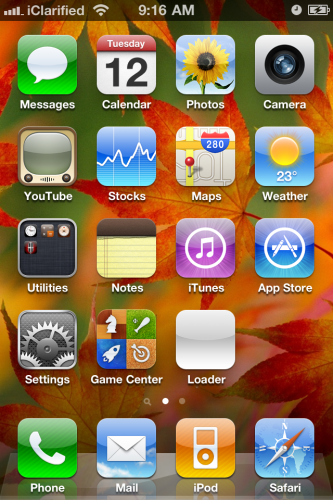
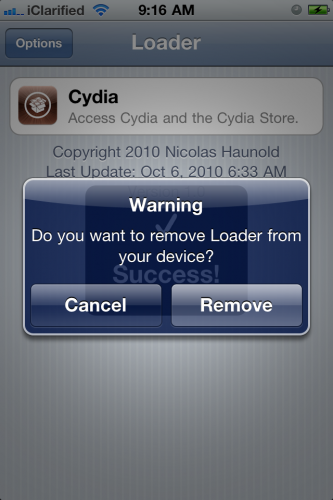
 Restart your iPhone, now you will notice Loader application icon on your springboard, hit this icon.
 STEP 7:
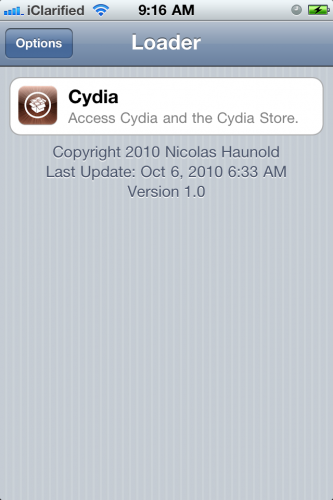
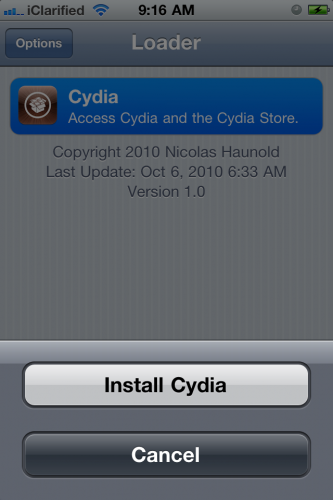
 Now press "
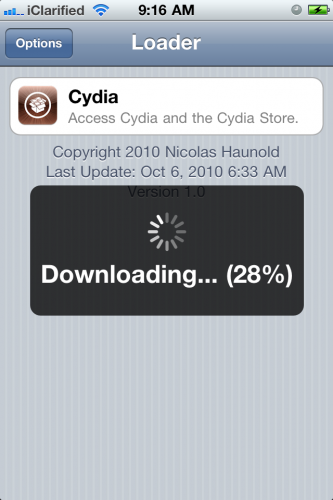
Cydia", then "Install
Cydia". After finishing you will be asked to remove Loader from your device, click "Remove", then press Home button, the device will restart automatically.
 STEP 8:
 After your device restart you will find the
Cydia icon, Congratulations.

Note: Since there is no way to unlock
05.14.02 / 2.10.04 basebands, you should upgrade to iOS 4.1 with preserving your baseband before using
Greenpois0n jailbreak by following our guide (for iPhone 4 ONLY) posted
here.
iOS 4.1 for iPhone 4/3GS >>> Download
Greenpois0n jailbreak for iOS 4.1 >>> Download

