Like Windows Vista, Windows 7 also has different editions like Ultimate, Professional, Home & Starter. Windows 7 Starter as the name suggests it’s a lite edition of Windows 7 with number of features disable or blocked. Windows 7 Starter edition is aimed for low specs netbooks & low price laptops.
One such restriction in Windows 7 Starter is ability to create adhoc wireless network connection. Adhoc wireless connection lets you to create virtual Wi-Fi hotspot to share internet connection with other wireless devices.
Even though this feature is disabled but still there is way to enable & setup adhoc wifi in Windows 7 Starter edition. Rafael Rivera from WithinWindow has found out that ad-hoc wifi feature is hidden inside Windows 7 Starter Edition.
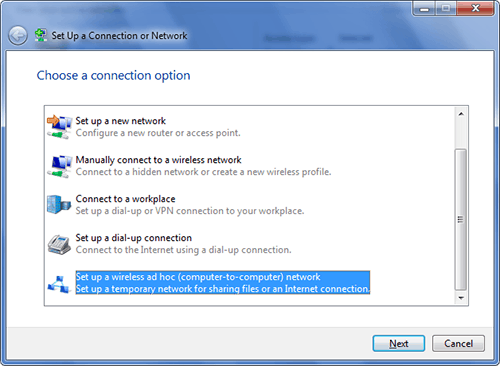 Windows 7 Setup connection dialogue box with Ad-hoc Connection Option
To access the adhoc Wireless connection wizard simply Start Menu search for ‘adhoc’.
So enjoy Ad-hoc Wifi feature till the time Microsoft patches this.

