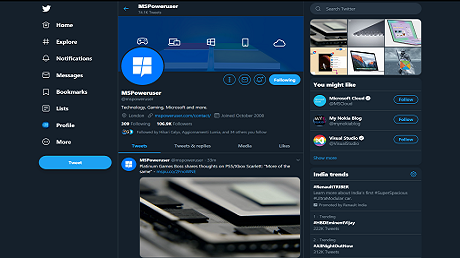
The company says that it’ll make things more accessible, unique, and focused on you and what you’re talking about. The update also includes the ability for users to use their Apple ID to sign up and sign in to Twitter. Another useful feature is the ability for you to upload captions via SRT file when uploading video on Twitter.com.
Twitter has added a couple of exciting new features to its Progressive Web App(PWA) through a server-side update. The latest version of the Twitter PWA has a new look and feel as the social media company has introduced some changes to the visual design language of the platform.
The company says that it’ll make things more accessible, unique, and focused on you and what you’re talking about. The update also includes the ability for users to use their Apple ID to sign up and sign in to Twitter. Another useful feature is the ability for you to upload captions via SRT file when uploading video on Twitter.com.
Besides new features, the update includes a ton of fixes and improvements. You can read the full official change below to know about them in detail.
CHANGELOG
■ New
■ Design Refresh: Twitter has a new look and feel! We’ve rolled out changes to our visual
design language to help make things more accessible, unique, and focused on you and what you’re
talking about. Learn more here.
■ Revue Newsletters: We’ve enabled the ability to discover and subscribe to Revue newsletters
through the Twitter profile screen. This is immediately available to all Revue creators, and we’re
beginning to experiment with a smaller test group. Learn more here!
■ Third Party Sign-On: You can now use your Apple ID to sign up and sign in to your Twitter
account.
■ Video: We’ve enabled the ability for you to upload captions via SRT file when uploading video
on Twitter.com. Look for “Upload caption file (.srt)” in the composer after uploading a video
attachment.
Updated
■ Fleets: Functionality for viewing Fleets has been removed.
■ Topics: The Topics screen has seen a number of changes to give you more information and
context around Topics you may want to follow, and those you are already following. There are now
three tabs for viewing “Suggested”, “Following”, and “Not Interested”.
■ Spaces: We’ve made a number of improvements to how captions are processed for Spaces.
This should help make dialog clearer, more consistent, and improve scrolling across the
conversation.
■ Spaces: Spaces cards will now render within the trending timeline on the Explore screen.
■ Topics: When navigating to the detail screen for a specific Topic, the header will now include
the Topic name and subtitle for additional context.
Fixed
■ Account Picker: If there’s a network failure, the account picker will continue to display the
buttons for logging out and adding an account, along with the retry button.
■ DMs: Improved spacing of the DM composer to prevent overlap with the iOS home bar on
mobile devices.
■ DMs: Attempting to view a conversation you aren’t a part of through a link will no longer
render an empty conversation and composer.
■ Language: Corrected scenarios where external links could override the language setting for
logged-in visitors.
■ Lists: Rapidly clicking the pin list button will no longer cause duplicate lists to appear in the
current session.
■ Lists: The List follow button will now show the proper state after following.
■ Logged Out Errors: Resolved issues where network errors could cause logged out visitors to
fall into a state where the page would constantly alternate between login form and error state.
■ Microsoft PWA: Improved detection for PWA app usage through the Microsoft Store.
■ Navigation: Resolved issues related to navigating backward via the browser from certain
popovers, especially on Android devices using the system back button.
■ Notifications: The Notifications timeline will now stick to your previous scroll position when
navigating across other pages in the app.
■ Profile: Empty state for blocked accounts on the profile screen will no longer cause a
horizontal scroll on some window sizes.
■ Timelines: Opening and closing popover elements within timelines will no longer cause the
scroll position to adjust unexpectedly.
■ Scrolling: Resolved issues with scroll position being incorrectly offset when navigating
between subscreens, such as within settings menus.
■ Settings: Updating a muted word will no longer briefly show an error page.
■ Spaces: Improved how the expanded dock determines its size, preventing instances where
the dock expands beyond the window.
■ Spaces: Co-hosts will now display with speaking indicators.
■ Video: Replaying a video within the context of an event carousel will no longer cause the
video to loop unexpectedly.
■ Video: Dragging and clicking to reposition the playback indicator will no longer cause a small
jump in the indicator’s position.
As mentioned above, this is a server-side update, so don’t waste your time by checking for updates in Microsoft Store. All you have to do is open and then close the Twitter app, and then open it again to update the app.[/size]
source

