Recent Posts

Pages: [1] 2 3 ... 10
1


Chrome is no longer the lightweight browser most people think it is. And if you don’t believe me, just check the storage Chrome is taking up on your PC. Recently, a lot of users have reported Chrome silently downloading a 4GB file on their PC or Mac. And when I checked on mine to confirm, sure enough, it was sitting there too.

What makes the whole situation frustrating is that Google doesn’t ask for any permission before downloading it. There’s no pop-up or even an explanation before the download. The good thing is, Chrome does let you remove the file and reclaim the storage space. But once you understand what the file actually does and why Chrome needs it, you probably wouldn't want to do it.

AI downloads this large deserve an opt-in prompt
They should’ve asked first


If you have Chrome installed on your PC or Mac, there’s a chance a massive file named weights.bin is sitting on your storage drive and taking up nearly 4GB of space. I wouldn’t blame you for not knowing this, because it's a file Chrome downloads silently. You can find the file in Chrome’s directory.

   • macOS: /Library/Application Support/Google/Chrome/OptGuideOnDeviceModel/

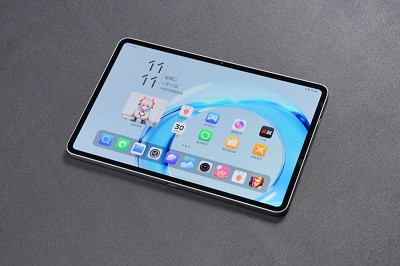
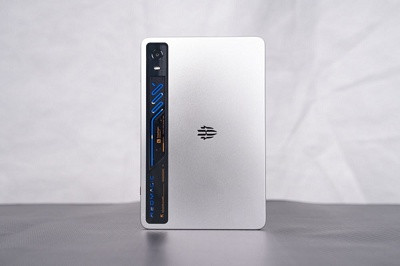
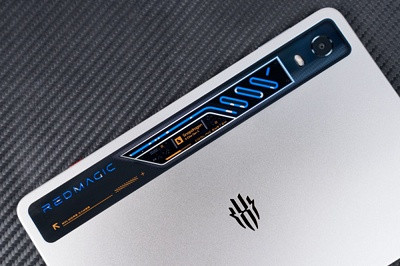
   • Windows: %LOCALAPPDATA%\Google\Chrome\User Data\OptGuideOnDeviceModel

This file is essentially the brain behind Chrome’s on-device AI system, also known as Gemini Nano. In simple terms, it contains the machine learning model that allows Chrome to run certain AI features locally on your PC instead of sending requests to Google’s cloud servers.

These AI models help with things like generating text, summarizing an article, and warning you about potential scams. So yes, it’s kind of important. But the problem is the storage it takes, and more importantly, Chrome doesn’t really ask for consent before downloading a file this large. As soon as you interact with a feature that relies on these AI models, it simply downloads the file silently.


Google’s reasoning doesn’t completely convince me
I understand the logic, but I still don’t like it


To be fair, Google has stated legitimate reasons for putting Gemini Nano directly on your PC. According to Google, the local AI model powers important features without constantly sending your data back and forth to the cloud. In theory, that’s better privacy, as some AI tasks happen entirely on your device instead of Google’s servers.

There’s also a practical reason behind this. Running AI models in the cloud is incredibly expensive. Every AI query costs computing power, electricity, and server resources. By shifting some of that workload onto your PC or Mac, Google can reduce the pressure on its own infrastructure while still offering important AI-powered features.

But personally, I still don’t think it fully justifies Google downloading the file without user consent. While Google does mention that the model is supposed to automatically uninstall itself if the device starts running low on storage, there’s no clarity on what that “low storage" number actually is.

Yes, you can delete it, but there’s a catch
Do you really want to?


Technically, it’s possible to get rid of the weights.bin file from your PC or Mac. It’s really no different from deleting any other file, and doing so doesn’t affect your browsing data. The problem is that Chrome will simply redownload the same file and occupy storage space. The only way to reclaim that 4GB permanently is to disable Chrome’s on-device AI features. To do that, open Chrome Settings, switch to the System tab, and turn off On-device AI toggle.

Once disabled, the on-device AI file will disappear automatically, and it won’t come back. Of course, there’s an obvious downside to this. Removing the weights.bin file also means giving up on Chrome's AI features, which include things like summarizing pages and even scan protection tools. And that’s what makes this whole situation complicated.

 absolutely dislike the idea of Chrome silently placing a 4GB AI model on my PC. But at the same time, using a browser without these features in 2026 also feels limiting. So yes, if Chrome had simply shown me the prompt, I’d have clicked Yes anyway, mainly because some of this model also powers security features.

As someone who practically lives inside a browser all day for work, it doesn't make sense to remove Chrome’s local AI model just to free up some storage space. That said, I’ll be keeping an eye on the file to make sure it doesn’t quietly balloon in size as Google continues to add new AI features. If you don’t like the idea of Chrome using this much storage, though, it’s better to switch to a different browser entirely, like Edge, Brave, or any of the other open-source alternatives that’s far more lightweight.

source
2
Not the new features


With the massive announcement of the Googlebook and its upcoming Android-based operating system completely dominating the headlines since last week, it is easy to forget that Google still has a massive fleet of Chromebooks to maintain. To that end, ChromeOS 148 is officially rolling out to the stable channel, and as you might expect given the platform’s new horizon, it is an incredibly quiet milestone.

If you are looking for groundbreaking user-facing features, productivity overhauls, or flashy new UI tricks in this release, you are going to be pretty disappointed. But while it is a boring update on the surface, it carries some critical backend changes that make it worth jumping into your settings menu to trigger the update if it hasn’t hit your device yet.

A pure security and maintenance milestone

The official enterprise release notes for ChromeOS 148 confirm that Google is entirely focused on the fundamentals right now: stability, security, and long-term maintenance.

The single major headline for this release is a backend Certificate Provisioning migration. Google is actively forcing a shift away from its legacy certificate enrollment solutions, moving administrators over to the more modern Certificate Provisioning API that initially debuted back in ChromeOS 142. It is a vital structural update for enterprise and school IT managers who need to ensure seamless, secure network authentication across their fleets before the old method is permanently deprecated at the end of 2026.

Beyond that, the changelog is a textbook definition of maintenance, packing the usual assortment of under-the-hood bug fixes, performance optimizations, and security patches designed to keep your current hardware running tightly.

Setting the stage for the LTS freeze

The quiet nature of ChromeOS 148 makes perfect sense when you look at the upcoming roadmap. Google’s release schedule highlights that ChromeOS 150 – which is slated to drop on Tuesday, July 21, 2026 – will serve as the next official Long-Term Candidate (LTC) release.

For the uninitiated, the Long-Term Support (LTS) channel is what schools and enterprise environments use to lock their devices into a hyper-stable software baseline for months at a time, receiving only critical security patches while skipping the standard four-week feature update cycle. Because Google engineers are gearing up to freeze the code for that massive 150 baseline this summer, these intermediate builds are all about squashing bugs and hardening security rather than introducing potentially volatile new software features.

It might be a boring changelog, but keeping your device on the latest stable build is still the best way to keep your data protected and your hardware running smoothly. The rollout is moving out in stages, so if you don’t see ChromeOS 148 waiting for you in Settings > About ChromeOS just yet, give it a few days to hit your specific device.

source

3


Back in 2001, a tiny startup launched an operating system called Lindows. It was a genuinely ambitious idea: take Linux, add on a compatibility layer for Windows apps, and then sell the resulting OS for cheaper than Windows itself. The name was both a pitch and perhaps the seed of its eventual downfall. Microsoft noticed immediately, and started a two-and-a-half-year legal battle that threatened to unravel one of Microsoft's most valuable trademarks altogether.

What Lindows actually was
A Linux distro designed to poach Windows users


Founder Michael Robertson (who already sold MP3.com to Vivendi Universal for $372 million) started Lindows in San Diego in August of 2001. His main goal was to create a Linux distribution that could run major Windows apps without forcing users to leave Linux entirely to do so. Lindows used Wine for this task, a compatibility layer that's still in use today that translates Windows API calls into Linux compatible equivalents on the fly. Wine was around since 1993, but Linux users had to configure it themselves, the idea here was more of a turnkey solution: install Lindows and your Windows apps just work

The OS was built on Debian Linux, ran the KDE desktop environment (styled to look familiar to Windows users), and featured a paid software storefront called Click 'N' Run (CNR) — an early precursor to the app store model — that let users browse and install both free and commercial Linux software without touching the command line.

As soon as June 2002, Walmart was selling budget PCs with LindowsOS preinstalled, starting at $299, making it the first major retailer to ship Linux-based computers to consumers. Microsoft had 90 percent of the world's PCs at the time, and was fairly hostile to the upstart Linux. That would, of course, change eventually, but not before it tried to litigate this little startup out of existence.

The lawsuit Microsoft probably shouldn't have filed
How "Windows" nearly became a generic word


Microsoft sued Lindows in December 2001, saying that the name infringed on its Windows trademark. The idea was that consumers might confuse the two products. Lindows fired back with a perhaps more damaging argument: "windows" was already a generic term in computing before Microsoft ever trademarked it. Windowing interfaces existed at Xerox PARC and Apple years before Windows shipped in 1985.

US District Judge John Coughenour didn't take to Microsoft's trademark defense right away. He denied the company's request for a preliminary injunction in 2002, which raised questions about whether "Windows" could even be protected as a trademark. In February 2004, he ruled that any jury deciding the case would have to consider whether "windows" was a generic term before 1985, and not as a computing term as we understand it today.

If the case went to trial and a jury decided "Windows" was generic, Microsoft could lose trademark protection for its flagship product's name.

Microsoft went global to squeeze Lindows
The European pressure campaign that worked


OK, so the US case wasn't looking good for Microsoft, so the company took the fight to fronts in Finland, Sweden, France, Belgium, Luxembourg, the Netherlands, Canada, and Spain. European trademark laws were more favorable at the time, and Microsoft won preliminary injunctions in Finland, Sweden, and the Netherlands. The Dutch ruling was the most aggressive: it prohibited Lindows from selling its OS or even operating its website in Belgium, Luxembourg, and the Netherlands.

Lindows tried to keep going. It launched ChoicePC.com and started selling lifetime Lindows memberships for $100 to raise some cash. It renamed the product "Lin---s" in countries that had blocked the Lindows name, though Microsoft's lawyers argued that it wasn't enough. The renamed product eventually became Linspire in April 2004, after Lindows lost its bid to have a US court block Microsoft's European litigation.

The settlement that ended it
Microsoft paid $20 million to buy a name it tried to kill


With a US trial looming and a real risk that "Windows" could be ruled a generic term, Microsoft settled in July 2004. It paid Lindows a total of $20 million, with $15 million up front and $5 million contingent on Lindows handing over its Lindows-related domain names. As part of the deal, Lindows Inc. transferred the trademark to Microsoft and rebranded globally as Linspire.

Tom Burt, Microsoft's deputy general counsel, said the settlement would let Lindows "compete in the marketplace with a name distinctly its own." Lindows CEO Michael Robertson said the terms "make business sense for all parties."

Microsoft spent years and millions of dollars trying to destroy the name and ended up having to buy it.

Linspire continued operating after the settlement, pushing more and more into consumer Linux. It launched a free version called Freespire and even signed deals with Canonical and Mint to offer software through its app storefront CNR. But the brand recognition was gone and the company struggled to find a foothold.

In July 2008, Linspire stockholders voted to sell all company assets to Xandros, a Canadian Linux distributor, and went dormant. Xandros discontinued Linspire in August 2008, and the rights eventually landed with PC/OpenSystems LLC, which relaunched the Linspire name in 2018 as a paid Ubuntu-based distribution.

The legal legacy matters more than the product

The Lindows case is less remembered for the OS and more for what it nearly did to MIcrosoft's most important trademark. Lindows may have lost the name (and eventually, its entire business), but it forced one of the most powerful software companies in the world to pay $20 million as a hedge against possibly having "Windows" declared a generic term in open court. That's a pretty reasonable outcome for a company that was set up on Wine and $100 memberships. Ironically, Microsoft ships its own Linux layer these days, WSL, doing roughly what Lindows was trying to do from the start.

source

4
A cybersecurity researcher has released a proof-of-concept exploit for a Windows privilege escalation zero-day dubbed "MiniPlasma" that lets attackers gain SYSTEM privileges on fully patched Windows systems.

The exploit was published by a researcher known as Chaotic Eclipse, or Nightmare Eclipse, who released both the source code and a compiled executable on GitHub after claiming that Microsoft failed to properly patch a previously reported 2020 vulnerability.
According to the researcher, the flaw impacts the 'cldflt.sys' Cloud Filter driver and its 'HsmOsBlockPlaceholderAccess' routine, which was originally reported to Microsoft by Google Project Zero researcher James Forshaw in September 2020.

At the time, the flaw was assigned the CVE-2020-17103 identifier and reportedly fixed in December 2020.

"After investigating, it turns out the exact same issue that was reported to Microsoft by Google project zero is actually still present, unpatched," explains Chaotic Eclipse.

"I'm unsure if Microsoft just never patched the issue or the patch was silently rolled back at some point for unknown reasons. The original PoC by Google worked without any changes."

BleepingComputer tested the exploit on a fully patched Windows 11 Pro system running the latest May 2026 Patch Tuesday updates.

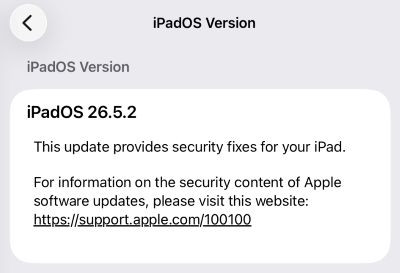
In our test, we used a standard user account, and after running the exploit, it opened a command prompt with SYSTEM privileges, as shown in the image below.


MiniPlasma exploit successfully gave Windows SYSTEM privileges Source: BleepingComputer
Will Dormann, principal vulnerability analyst at Tharros, also confirmed the exploit works in his tests on the latest public version of Windows 11. However, he said that the flaw does not work in the latest Windows 11 Insider Preview Canary build.

The exploit appears to abuse how the Windows Cloud Filter driver handles registry key creation through an undocumented CfAbortHydration API. Forshaw's original report said that the flaw could allow arbitrary registry keys to be created in the .DEFAULT user hive without proper access checks, potentially enabling privilege escalation.

While Microsoft reports having fixed the bug as part of its December 2020 Microsoft Patch Tuesday, Chaotic Eclipse now claims the vulnerability can still be exploited.

BleepingComputer contacted Microsoft about this additional zero-day and will update this story if we receive a response.

Update 5/18/26: ZeroTrust platform ThreatLocker posted on X that organizations should monitor the following Registry keys for modifications using their EDR platform to detect exploitation:

Quote
\Registry\User\Software\Policies\Microsoft\CloudFiles\BlockedApps*
 
and
 
\Registry\User\.DEFAULT\Volatile Environment*

Researcher behind the recent string of Windows zero-days

MiniPlasma is the latest in a string of Windows zero-day disclosures published by the researcher over the past several weeks.

The disclosure spree began in April with BlueHammer, a Windows local privilege escalation flaw tracked as CVE-2026-33825, followed by another privilege escalation vulnerability, RedSun, and a Windows Defender DoS tool, UnDefend.

After their disclosure, all three vulnerabilities were spotted being exploited in attacks. According to the researcher, Microsoft silently patched the RedSun issue without assigning it a CVE identifier.

This month, the researcher also released two additional exploits named YellowKey and GreenPlasma.

YellowKey is a BitLocker bypass affecting Windows 11 and Windows Server 2022/2025 that spawns a command shell that gives access to unlocked drives protected by TPM-only BitLocker configurations.

Chaotic Eclipse has previously stated that they are publicly disclosing these Windows zero-days in protest of Microsoft's bug bounty and vulnerability-handling process.

"Normally, I would go through the process of begging them to fix a bug but to summarize, I was told personally by them that they will ruin my life and they did and I'm not sure if I was the only who had this horride experience or few people did but I think most would just eat it and cut their losses but for me, they took away everything,"alleged the researcher.

"They mopped the floor with me and pulled every childish game they could. It was soo bad at some point I was wondering if I was dealing with a massive corporation or someone who is just having fun seeing me suffer but it seems to be a collective decision."

Microsoft previously told BleepingComputer that it supports coordinated vulnerability disclosure and is committed to investigating reported security issues and protecting customers through updates.

source
5
Huawei / Huawei's EUV lithography machine goes into trial production
« Last post by javajolt on May 19, 2026, 11:02:21 PM »
China's chip manufacturing ushers in a historic turning point!

Recently, Huawei, in collaboration with the domestic industrial chain, completed the installation and debugging of the first domestically-produced extreme ultraviolet (EUV) lithography machine at the Songshan Lake base in Dongguan, officially entering the chip trial production process.

This breakthrough marks a new stage in China's independence in core technologies in high-end chip manufacturing, and may completely rewrite the global semiconductor industry landscape.


Technological breakthrough: Light source efficiency reaches 3.42%, and production capacity exceeds similar equipment of ASML
The domestically produced EUV lithography machine tested by Huawei uses the laser-induced discharge plasma (LDP) technology developed by Harbin Institute of Technology. The core light source energy conversion efficiency reaches 3.42%, which is close to the international top level.

Test data shows that the equipment can process 250 wafers per hour , surpassing the 195-wafer capacity of ASML's equipment of the same level. The equipment size is reduced by 30% and the cost is only 1/3 of imported equipment.

Unlike the carbon dioxide laser bombardment technology that ASML relies on , the Chinese team directly converts electrical energy through solid pulse lasers, eliminating the complex laser amplification process, reducing power consumption by 40%, and completely bypassing ASML's LPP (laser plasma) patent barriers .

Industry chain collaboration: more than 30 upstream and downstream companies work together to tackle key problems

The breakthrough of domestic EUV lithography equipment is inseparable from the deep collaboration of the domestic industrial chain. Shanghai Lingang has built a lithography equipment industrial park, gathering more than 30 upstream and downstream companies such as Keyi Hongyuan and Guowang Optics:

   - Keyi Hongyuan: Light source technology achieves stable output, and energy conversion efficiency reaches the international leading level;

   - Guowang Optics: The objective lens system has an accuracy of 0.2 nanometers, surpassing the lens jointly developed by ASML and Germany's Zeiss.

In addition, the self-aligned multiple patterning (SAQP) technology developed by Huawei and SMIC has achieved equivalent 3nm chip manufacturing on existing DUV lithography machines, paving the way for the implementation of EUV technology.

Policy and funding: National special investment exceeds 20 billion yuan

The "14th Five-Year Plan" special plan will inject more than 20 billion yuan into the research and development of lithography machines, with a focus on breakthroughs in core components such as optical lenses and laser light sources.


The second phase of the National Integrated Circuit Industry Investment Fund is expected to raise 200 billion yuan, leverage more than 450 billion yuan of social capital, and form a "policy + capital" dual-wheel drive model.

Future plan: Mass production in 2026, yield target 70%

The Huawei team plans to achieve mass production of EUV lithography machines in 2026, and it is expected that the cost of domestic chip manufacturing will be reduced by 40%-50%.

According to the plan:

   - 2027: The yield rate of the pilot production line will be increased from 30%-40% to 60%-70%;

   - 2028: Mass production will be expanded to meet 70% of domestic chip manufacturing needs;

   - 2030: To partially surpass international giants in some areas.

Global impact: China's chip independence is accelerating

The latest report from the Semiconductor Industry Association of the United States shows that the gap between China and the world's top level has been narrowed to 12 months.

With breakthroughs in domestic EDA tools and advanced packaging technologies, China is expected to achieve full-process independence in high-end chip manufacturing around 2028.

A former ASML engineer revealed anonymously that China's EUV prototype has entered the "system assembly-single test" cycle stage, and it is estimated that the full process debugging will take 18 months, and the "changing lanes and overtaking" strategy of domestic technology may significantly shorten this cycle.


Sources:

Reports on Huawei's EUV lithography machine testing progress from Xueqiu , Sina Finance, NetEase and other platforms (June 2025)

Harbin Institute of Technology's official statement on LDP technology breakthrough

Public information on the National 14th Five-Year Plan and Integrated Circuit Industry Investment Fund

source
6

Authored by: Morey J. Haber, Chief Security Advisor, BeyondTrust, and James Maude, Field Chief
Technology Officer, BeyondTrust


As analyzed in the 2026 Microsoft Vulnerabilities Report, Microsoft disclosed 1,273 vulnerabilities in 2025, which represents a dip from 1,360 the prior year. The good news seems to be that total Microsoft vulnerabilities have remained in a stable range from 2020 – 2026.

But those numbers are the wrong ones to watch. Critical vulnerabilities doubled year-over-year, surging from 78 to 157, reversing a multi-year downward trend.

Stability in total vulnerability volume conceals instability in impact, and that is where organizations should focus their attention.

The most important clue in this data is not how many vulnerabilities were disclosed, but where they are concentrated and what they enable threat actors to potentially compromise.


Where the Risk Is Concentrating

The dominance of Elevation of Privilege vulnerabilities (accounting for 40% of all CVEs) combined with a 73% rise in Information Disclosure flaws, tells us attackers are prioritizing stealth and reconnaissance over noisy exploits.

Privilege is where vulnerabilities become breaches. Threat actors no longer need noisy exploits or mass malware campaigns if they can quietly escalate access and move laterally using legitimate credentials and Living Off the Land tactics.

This trend aligns with real-world breach patterns, where initial access is often mundane, but impact is amplified through excessive privilege, misconfigurations, and weak identity controls.

Nowhere is this more concerning than in cloud and business platforms. Microsoft Azure and Dynamics 365 decreased slightly in total vulnerability count, but critical vulnerabilities spiked dramatically, jumping from 4 to 37 in a single year.

Cloud platforms are not just infrastructure anymore. They are crucial to business operations, providing a wide variety of services, including identity and access management, business automation, control planes for entire enterprises, etc.

A critical flaw in these environments poses implications far beyond exposing data. It can cripple an entire workflow (and, ultimately, business operations) and can collapse trust boundaries at machine speed. When cloud vulnerabilities turn critical, the blast radius becomes the defining risk metric.


click image to download report

In practice, a single misconfigured identity in Azure can hand an attacker the keys to your entire tenant, and most organizations wouldn’t know until the damage was done. CVE-2025-55241, a critical Entra ID flaw patched in July 2025, illustrated this precisely: an attacker could forge tokens accepted across any tenant, leaving no trace in victim logs.

On the endpoint and server side, the results are mixed, but still disturbing. Total Microsoft Windows vulnerability numbers declined, yet critical counts remained stubbornly consistent and unnervingly high. Microsoft Windows Server vulnerabilities increased to 780, with 50 classified as critical. Servers remain high value targets because they often run with elevated privileges, host shared services, and provide the foundation for a wide variety of business infrastructure.

Threat actors understand that compromising a server often provides faster and deeper access than compromising a desktop alone. It's a refrain we hear consistently from CISOs: “We patched everything critical, so why are we still getting breached?” This data explains why.

Perhaps the most notable shift in the data is for productivity software. Microsoft Office vulnerabilities surged 234% year over year, rising from 47 to 157, with critical vulnerabilities jumping from 3 to 31 (a 10x increase from last year).

Microsoft Office remains one of the most abused attack surfaces because it sits at the intersection of human behavior, daily operations, and business continuity.

Macros, document sharing, preview panes, HTML rendering, new AI capabilities, and add-ins create a unique landscape for exploitation. When Office vulnerabilities spike, users remain the most reliable entry point via social engineering.

The category trends reinforce a clear pattern: Elevation of Privilege and Information Disclosure are rising together. Attackers are prioritizing stealth and reconnaissance, and when threat actors know your environment better than your own team does, every subsequent incursion becomes easier.

What Organizations Should Do About It

The immediate defense priority is narrowing the blast radius before the next patch cycle. That means auditing standing admin rights, treating service accounts and AI agents with the same scrutiny as human identities, and disabling the Windows preview pane (seven CVEs in 2025 exploited it as an entry point).

For organizations, the takeaway is clear. Patch management alone is insufficient, and organizations must prioritize vulnerabilities that enable privilege escalation, identity abuse, and lateral movement first. That requires context, knowledge of exploits, mappings to frameworks like MITRE ATT&CK, and not just CVSS scores. It also requires rethinking trust assumptions across cloud, endpoint, server, and productivity layers.

The organizations that are ahead of this aren't simply patching faster. They're thinking differently about what privilege means in a cloud-first environment.

In the organizations we work with, AI agents have quickly evolved from a future concern into a present reality almost overnight, and most lack the AI security posture management necessary for proper governance.

Patch management matters, but patches fail to fix excessive privilege or enforce least privilege for AI agents. The ghost in this data isn’t the vulnerability count. It’s everything those vulnerabilities unlock when the identity controls aren’t there to stop them.

For the 2026 landscape and beyond, the 2026 Microsoft Vulnerabilities Report reinforces a hard truth. Threat actors are not breaking down the front door anymore with brute force exploits. They are walking in, escalating quietly, and operating as trusted users, human and machine alike.

If security programs don’t focus on privilege reduction, identity visibility, and continuous risk assessment, the numbers may look stable year over year, but the attack surface and business impact will continue to increase.

Download the complete 2026 Microsoft Vulnerabilities Report now for detailed analysis of Microsoft's vulnerability and security landscape—and what it all means for you.

source
7
Microsoft / Microsoft is killing SMS codes for Microsoft account sign-in
« Last post by javajolt on May 19, 2026, 06:20:08 PM »
Aggressively pushing passkeys on Windows 11


Microsoft is killing SMS login codes for personal accounts

For years, typing in a six-digit code sent to your phone has been the universal standard for verifying your identity online. But that era is officially coming to an end in the Windows ecosystem.

In a statement to Windows Latest, Microsoft independently confirmed that it’ll stop sending SMS codes for personal accounts.

Now, first spotted by Windows Latest, Microsoft has officially announced that it is pulling the plug on SMS codes for personal accounts. According to a support document quietly published earlier this year, the company is actively phasing out text messages as a method for both two-factor authentication and account recovery.

While the tech giant subtly hinted at this shift in a previous security advisory earlier this year, stating it was “committed to advancing security standards,” the newly released documentation explicitly confirms the end of SMS verification.

Moving forward, Microsoft is forcing a transition to passwordless alternatives, mandating the use of passkeys, authenticator apps, and verified secondary email addresses.

Why Microsoft is abandoning SMS authentication

Redmond’s decision to kill off SMS verification comes down to the undeniable fact that text messages are no longer a secure way to protect your digital identity.


In their official advisory, Microsoft states that “SMS-based authentication is now a leading source of fraud.”

“Microsoft is committed to advancing security standards, and as such, we will start phasing out SMS as a method of authentication and account recovery for personal Microsoft accounts,” Microsoft noted in an advisory spotted by Windows Latest. “Microsoft believes that the future of authentication is passwordless, secure, and user-friendly.”

Text messages were never designed with modern cybersecurity in mind. They are transmitted in plain text across vulnerable cellular networks, making them highly susceptible to interception.

Furthermore, hackers frequently use SIM-swap attacks, a tactic where a malicious actor tricks your mobile carrier into transferring your phone number to a device they control. Once the transfer is complete, the hacker instantly receives all of your SMS two-factor authentication codes, allowing them to easily hijack your accounts.

To combat this, Microsoft believes the future of account security is entirely passwordless. The company is replacing SMS with passkeys, which are a modern, phishing-resistant security standard.


Unlike traditional passwords or text codes that can be intercepted, passkeys use your device’s built-in biometric hardware.

When you sign in using a passkey, you authenticate your identity using Windows Hello facial recognition, a fingerprint scanner, or a localized device PIN. This creates a cryptographic key pair where the private key never leaves your physical hardware, rendering remote phishing attacks virtually impossible.

Depending on your setup, passkeys can be device-bound, meaning the private key never leaves the physical hardware (like your laptop’s TPM chip), or they can be synced across your devices via services like Apple iCloud Keychain or Google Password Manager. This cross-device compatibility ensures that if you lose your phone, your verified email and synced passkeys will still allow you to recover your account safely.

The problem of a forced passwordless transition

On paper, eliminating vulnerable SMS codes in favor of biometric passkeys is an objective win for global cybersecurity. In my daily workflow, the passwordless ecosystem is genuinely fantastic. I use Microsoft Edge, Microsoft Password Manager, and the Microsoft Authenticator app across all my devices. Thanks to the IR camera on my Lenovo laptop, Windows Hello face recognition makes logging into my personal Microsoft account a breeze.

However, Microsoft’s forced transition may cause significant headaches for power users.

As a Windows Insider, I constantly spin up, configure, and manage new virtual machines (VMs) to test software builds.

When I attempt to log into my Microsoft account within these isolated, nested environments, the passkey experience falls apart. Biometric hardware won’t be available on a VM, for obvious reasons, and I do not have access to security keys either. When trying to log in with passkeys via PIN, I’m always shown an error.


In these highly technical, edge-case scenarios, requesting an SMS code was the ultimate, foolproof fallback. It just worked.

Passwords and SMS codes are ubiquitous. Typing in a six-digit text code is an instinctive, habitual behavior for billions of people. To successfully change a deeply ingrained habit, the replacement technology must be utterly flawless across every conceivable scenario.

Microsoft could drop the forced Microsoft account sign-in during Windows 11 setup; now that’s one less place where you’ll need to sign in!.

Either way, Microsoft will soon begin prompting all personal account holders with a “Sign in faster with your face, fingerprint, or PIN” screen, urging them to set up a passkey and verify a backup email address. While losing the convenience of SMS codes may be a bitter pill to swallow for some, it is a necessary step to secure Windows 11 against modern threats.

source
8
iPhone | iApps / Apple's Foldable iPhone Is 4.5mm Thin When Open
« Last post by javajolt on May 19, 2026, 06:07:09 PM »


The thickness number is the headline. But it's the fourth or fifth most remarkable thing about this device.


• Multiple credible sources confirm Apple's first foldable iPhone — likely called iPhone Ultra, though Apple hasn't confirmed any name — will measure approximately 4.5mm when unfolded and 9mm to 9.5mm when folded, making it thinner than any current iPhone when open.

• The device uses a 7.76-inch inner OLED display and a 5.49-inch outer display, both with a 4:3 aspect ratio, powered by the A20 Pro chip on TSMC's 2nm process with 12GB RAM.

• Samsung Display developed a near-creaseless panel with a 0.15mm crease depth and under 2.5 degree crease angle specifically for this device — far below the visible crease on current foldables.

• Space constraints forced real trade-offs: no telephoto camera (just two 48MP sensors), Touch ID via power button instead of Face ID, and a possible absence of internal MagSafe magnets — with leaked cases suggesting Apple may offload that function to a case accessory.

• Mass production, originally planned for June 2026, has been pushed to August. A September launch alongside the iPhone 18 Pro remains the target, but early supply will be tight. Starting price is expected above $2,000.

Quote
"At 4.5mm unfolded, the iPhone Ultra would be thinner than the iPhone Air, thinner than the 13-inch iPad Pro, and thinner than any iPhone Apple has ever sold. That's not a spec tweak — that's a structural statement about what Apple thinks a foldable should feel like."

The Thinness Number in Context

The 13-inch iPad Pro is Apple's thinnest current product at 5.1mm. The iPhone Air — Apple's recent slim-focused phone — sits at 5.6mm. At 4.5mm unfolded, the iPhone Ultra would be thinner than both. It would be thinner than most slab phones on the market. In a foldable. That's not an incremental design achievement. That's a different category of engineering.

The camera bump is the honest asterisk here. Case schematics show a protruding square camera plateau that adds roughly 4.5mm at its highest point, pushing the maximum local thickness to around 9mm at the lens. The body is genuinely 4.5mm. The back isn't flat. Both things are true simultaneously.


What Apple Sacrificed to Get There

This is where it gets interesting. A 4.5mm unfolded chassis doesn't leave room for everything. Face ID requires a TrueDepth camera array that simply won't fit. Apple is using Touch ID in the power button instead — the same approach used on iPads. The telephoto camera is gone. Two 48MP sensors handle main and ultra-wide. The internal magnet ring for MagSafe may also be absent, based on dummy unit analysis that shows no magnets where they'd normally sit. Cases with magnets are already in production. Apple may be moving MagSafe outside the phone entirely.

These aren't failures. They're deliberate choices. Each one bought back a fraction of the thickness that enabled the 4.5mm target.

The Crease Problem Apple Solved

Every foldable phone has a crease. Most are visible in direct light. Samsung's Galaxy Z Fold 7 crease is the current best-in-class, and it's still noticeable. The panel Samsung Display developed for the iPhone Ultra targets a 0.15mm crease depth — significantly lower than anything currently shipping. A crease angle under 2.5 degrees means the display surface is nearly flat even at the fold point. For Apple, shipping a foldable with a visible crease would have been unacceptable. The near-creaseless display is arguably the most technically difficult part of this entire product.

September Target, August Production, Real Risk

Mass production has slipped from June to August. That leaves a tight window for a September launch alongside the iPhone 18 Pro models. Ming-Chi Kuo flagged supply shortages potentially extending into 2027. If you plan to buy one at launch, treat it like an early Vision Pro situation — limited stock, high demand, and a wait list that forms on announcement day.

source
9


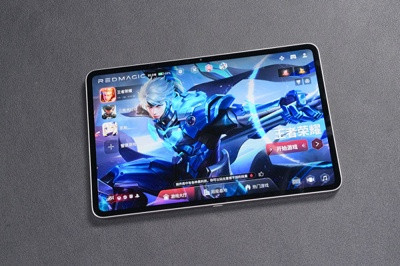
The Astra was a strong first entry for RedMagic in compact gaming tablets. Its successor is already looking more serious.

• RedMagic confirmed during its 11S Pro+ launch event on May 19 that the Gaming Tablet 5 Pro — globally the Astra 2 — will officially debut in June 2026, approximately one year after the original Astra launched internationally.

• The tablet skips from Gaming Tablet 3 Pro directly to 5 Pro, bypassing the number 4 entirely — a common practice among Chinese brands due to tetraphobia, as the number 4 sounds like the word for "death" in Mandarin.

• Leaked specs from Digital Chat Station point to a 9-inch OLED display at 2400x1504 resolution with up to 185Hz refresh rate, Snapdragon 8 Elite Gen 5, a liquid cooling circulation system, and up to 24GB LPDDR5X RAM with 1TB storage.

• Battery capacity is leaked at approximately 8,300mAh or higher — an upgrade over the original Astra's 8,200mAh, with some sources citing a 9,000mAh target still being evaluated.

• Pre-orders are already live in China across four configurations: 12GB/256GB, 16GB/512GB, 16GB/1TB, and 24GB/1TB. Color options include Tritium Transparent Silver Wing, Tritium Transparent Dark Night, and Gold Legend.


Quote
"RedMagic is jumping straight from 3 Pro to 5 Pro — skipping the number 4 entirely due to tetraphobia. It's a small detail, but it tells you everything about how deeply cultural thinking shapes product decisions in Chinese tech."

The Display Jump Is the Real Story

The original Astra shipped with a 144Hz OLED panel — already competitive for a gaming tablet at that price. Going to 185Hz at the same 9-inch size and adding a generationally newer chipset is a straightforward but meaningful upgrade. Lenovo's Legion Tab Gen 5 — the Astra's closest competitor — ships with a 165Hz display. RedMagic is aiming above it.

The 2400x1504 resolution translates to a 16:10-style panel with roughly 313 ppi at 9 inches — sharp enough that individual pixels aren't visible at normal tablet viewing distances. The OLED panel means proper blacks, strong contrast, and the ability to reduce brightness to near-zero for late-night gaming sessions without the backlight bleed issues of LCD alternatives.


Snapdragon 8 Elite Gen 5 in a 9-Inch Chassis

The same chip powering flagship phones in 2026 is going into a gaming tablet smaller than most people's lunch trays. That raises obvious thermal management questions. RedMagic's answer is a liquid cooling circulation system — the same active approach used in the 11 Pro+ phone, now adapted for a tablet form factor. At 9 inches, there's significantly more internal surface area to work with than in a phone, which means the cooling architecture can be more ambitious without the thickness compromises a phone demands.

Up to 24GB of RAM in a gaming tablet is a specification that competes with high-end laptops. The practical gaming benefit is reduced load times, smoother multitasking between game and streaming applications, and headroom for increasingly memory-intensive titles. The 1TB storage ceiling is equally generous for a device this size.

What June Actually Means for Global Buyers

RedMagic's pattern with the original Astra established a reliable template: China launch first, global availability one to two months later under the Astra name. If Gaming Tablet 5 Pro launches in China in June, international buyers should expect the Astra 2 to surface by July or August. A RedMagic gaming headset was also teased at the same May 19 event — no specs yet, but it signals RedMagic is building toward a full gaming ecosystem rather than selling isolated hardware.

source
10
Microsoft / Former Microsoft VP says Microsoft missed the AI wave
« Last post by javajolt on May 19, 2026, 05:20:28 AM »

Former executive says Microsoft missed the AI race

Microsoft’s aggressive, multi-billion-dollar push into artificial intelligence was supposed to be a flawless victory. The integration of Copilot into Windows 11, Microsoft 365, and GitHub was designed to usher in a new era of agentic computing. Yet, beneath the polished keynote presentations and massive infrastructure investments, a dramatically different reality is what we saw.

As first reported by Windows Latest, according to a highly respected former Microsoft executive, the company’s AI strategy is fundamentally failing to connect with real users, spurring calls for a massive internal “factory reset.”

The executive in question is Mat Velloso, who was most recently the Vice President of Product for the Developer Platform at Meta’s Superintelligence Labs. He also led AI developer products at Google DeepMind (including the Gemini API and Google AI Studio). But before his stints at Google and Meta, Velloso spent over 12 years at Microsoft, where he served as a Partner Director managing AI innovation in Windows and, interestingly, spent four years as the Technical Advisor to Microsoft CEO Satya Nadella.

When someone with Velloso’s resume, having observed the AI arms race from the highest levels of Microsoft, Google, and Meta, says Microsoft has “missed the AI wave,” it can rip the lid off the deep tensions within Redmond.

Ex-Microsoft exec says Microsoft missed the AI wave


Microsoft’s behavior over the last few months is nothing short of shocking. Both the Windows and Xbox divisions suddenly started prioritizing user feedback and implementing requested features after years of ignoring them.

It’s also not a small task to assemble and organize OEMs, ODMs, and chipset vendors in an event like WinHEC that had its last occurrence almost a decade ago (2018).

Explaining this sudden pivot to listening to customers, Velloso remarked that despite making Bing the company’s biggest AI bet, it failed to capture a single percentage point of search market share from Google. More damning is the state of Copilot.

According to Velloso, less than 3% of paying users actively use Copilot, even though Microsoft has pre-deployed it directly into the Windows 11 taskbar and across the Office suite.


Out of Microsoft’s 450 million Microsoft 365 user base, the company has only managed to convert roughly 15 million paid Copilot seats. This means a staggering 96.7% of users are rejecting the premium AI features, yielding just a 3.3% paid adoption rate. When viewed against Microsoft’s estimated $37.5 billion quarterly AI spending, this is an alarmingly low adoption rate.

But it’s not just software; Velloso also called out the current state of AI hardware. Over the past year, Microsoft has heavily pushed OEMs to include Neural Processing Units (NPUs) in their latest laptops to power advanced Windows 11 capabilities. We have tracked Microsoft’s push for NPU-powered AI features in Windows 11, but as Velloso noted, OEMs invested heavily in NPUs only to find out that “nobody cares because not a single valuable usecase was built for those in Windows/Office.”

Furthermore, he highlighted that GitHub, a platform that should be thriving as the centerpiece of the AI coding revolution, has seen its Service Level Agreement (SLA) reliability drop below 90%. Combine this with rising Cost of Goods Sold (COGS) and shareholders beginning to ask difficult questions, Microsoft was forced to start listening to customers because the AI bet isn’t paying off as smoothly as anticipated.

Microsoft’s executive exodus

All this friction appears to be taking a toll on Microsoft’s leadership. Recently, news broke that Julia Liuson, the highly respected head of Microsoft’s Developer Division (DevDiv), was retiring after 34 years with the software giant.

While official channels framed this as a standard retirement, Mat Velloso critiqued the news, saying, “Looks like Microsoft just went from hit refresh to hit factory reset.” He also listed a massive string of high-profile departures and reassignments across the company, including leaders from Xbox, GitHub, AI Infrastructure, Teams, and OneNote.

This public commentary drew the ire of Frank X. Shaw, Microsoft’s Lead Communications executive. Shaw replied to Velloso, defending the departing executives and accusing Velloso of jamming a “negative frame” onto normal corporate retirements.

All Velloso had to do was point out the harsh financial realities that the market is currently digesting. He moved from Microsoft to Google in early 2024, and while Google’s shares surged by roughly 230%, Microsoft’s stock growth remained essentially flat at 0%.

“I suppose the whole market is also wrong about this,” Velloso fired back. “But what do I know? I only saw both companies, how they operate, their strengths and their flaws. Microsoft missed the internet wave, the mobile wave and now it missed the AI wave. It is what happens when you keep doing the same things expecting different results.”


He urged Microsoft’s leadership to stop “gaslighting,” deflecting blame, and burying skeletons, arguing that hitting a complete internal “factory reset” is the only pragmatic way to fix the hard problems plaguing the operating system and enterprise software stack.

OpenAI is cutting out the middleman (Microsoft)

Apart from the internal challenges, Microsoft is increasingly being affected by its closest allies. The company has staked its entire generative AI future on its multi-billion-dollar partnership with OpenAI. However, OpenAI is rapidly building out its own enterprise infrastructure, threatening Microsoft’s historic dominance in the corporate sector.

Just days ago, OpenAI officially launched the “OpenAI Deployment Company” (DeployCo), a new business unit backed by over $4 billion in initial investment from global firms. This new venture features 150 “Forward Deployed Engineers” (FDEs) tasked with embedding directly into Fortune 500 companies to help them build and deploy custom AI solutions.

Historically, this hands-on, enterprise-level consulting was Microsoft’s bread and butter. As Velloso reminisced about his early career as a consultant, he noted that Microsoft’s incredible penetration into large enterprises was built on “armies of people spending time, listening, understanding business goals and solving them with technology in every industry vertical.”

Now, top AI labs like OpenAI are replicating this same playbook. They no longer want to delegate enterprise deployment to hyperscalers like Microsoft Azure. By cutting out the middleman and owning the direct relationship with businesses, OpenAI is stepping directly into the highly lucrative services layer where the real enterprise AI dollars are headed. This presents a huge structural threat to Microsoft’s long-term enterprise revenue, especially as users continue to push back against forced Copilot web app integrations.

Why Microsoft is far from dead: “The moat is unbreakable”

Despite these severe criticisms, Velloso defended his former employer against apocalyptic tech media narratives. When a prominent tech publication recently claimed that “AI is killing Microsoft” and compared their current trajectory to the disastrous 2008 era, Velloso stepped in to shut the narrative down.

“Nope, they are not dying,” Velloso stated. “I know I criticize them a lot and that’s because I care, but boy if you think Microsoft is dying you haven’t watched how many times they recovered from problems.”

He pointed out that while AI startups and labs might be building flashy deployment companies, completely replacing legacy enterprise software is incredibly difficult. When asked about companies claiming they can fully automate software businesses, Velloso recommended talking to Fortune 500 CIOs to see how realistic that really is.

“There’s a reason why all the top AI labs are hiring large consulting teams,” he explained. “The last mile is the hardest and Microsoft has the best distribution for that. Their moat is unbreakable.”

This is the ultimate paradox of Microsoft in 2026. They are simultaneously struggling to convince users to adopt their new AI features, yet their foundational grip on the enterprise ecosystem is still solid. Millions of businesses depend on Active Directory, Azure, Office, and Windows. While it is easy to spin up an AI agent in Python, integrating it securely into a legacy corporate environment requires the kind of massive distribution network that Microsoft has spent four decades building.

A necessary wake-up call


All the “new” features in Windows 11, including the much-awaited movable taskbar and resizable Start menu, are a result of everything that went wrong in the company and leadership finally doing something about it.

When a company realizes that pushing a 3.3% adoption-rate AI chatbot down users’ throats isn’t translating to stock growth or user satisfaction, they are compelled to reconsider their strategy.

We are finally seeing the results of this “factory reset” in real time. Microsoft is dismantling sluggish web wrappers, committing to native UI performance for Windows 11 apps, overhauling driver quality standards, and explicitly prioritizing long-ignored user feedback.

Microsoft’s pivot back to platform fundamentals proves that while AI might be the future, you cannot build that future on a crumbling foundation. The market forced Microsoft to listen, and for frustrated Windows users, that is arguably the best thing that could have possibly happened.

source
Pages: [1] 2 3 ... 10